> ## Documentation Index
> Fetch the complete documentation index at: https://docs.lindy.ai/llms.txt
> Use this file to discover all available pages before exploring further.
# Lindy Bot for Slack
> Build AI-powered bots for Slack that answer questions, automate workflows, and enhance team productivity
## Add Lindy to Your Slack Workspace
Get started in minutes — no code required.
**Where to find "Add to Slack":** The Slack connection appears when you create a Lindy agent and add a Slack trigger. Follow the steps below to access it.
### How to Connect Slack
Go to [chat.lindy.ai/signup](https://chat.lindy.ai/signup) and sign up. No credit card required.
Once logged in, click **Create New Lindy** to start building your Slack bot.
Click **Select Trigger** and choose **Slack Message Received** from the list of available triggers.
In the trigger configuration, click the **Connect** button next to Slack. This opens Slack's authorization page where you can add Lindy to your workspace.
Review the permissions and click **Allow**. Then choose which channels to monitor, set up filters, and connect your knowledge base.
***
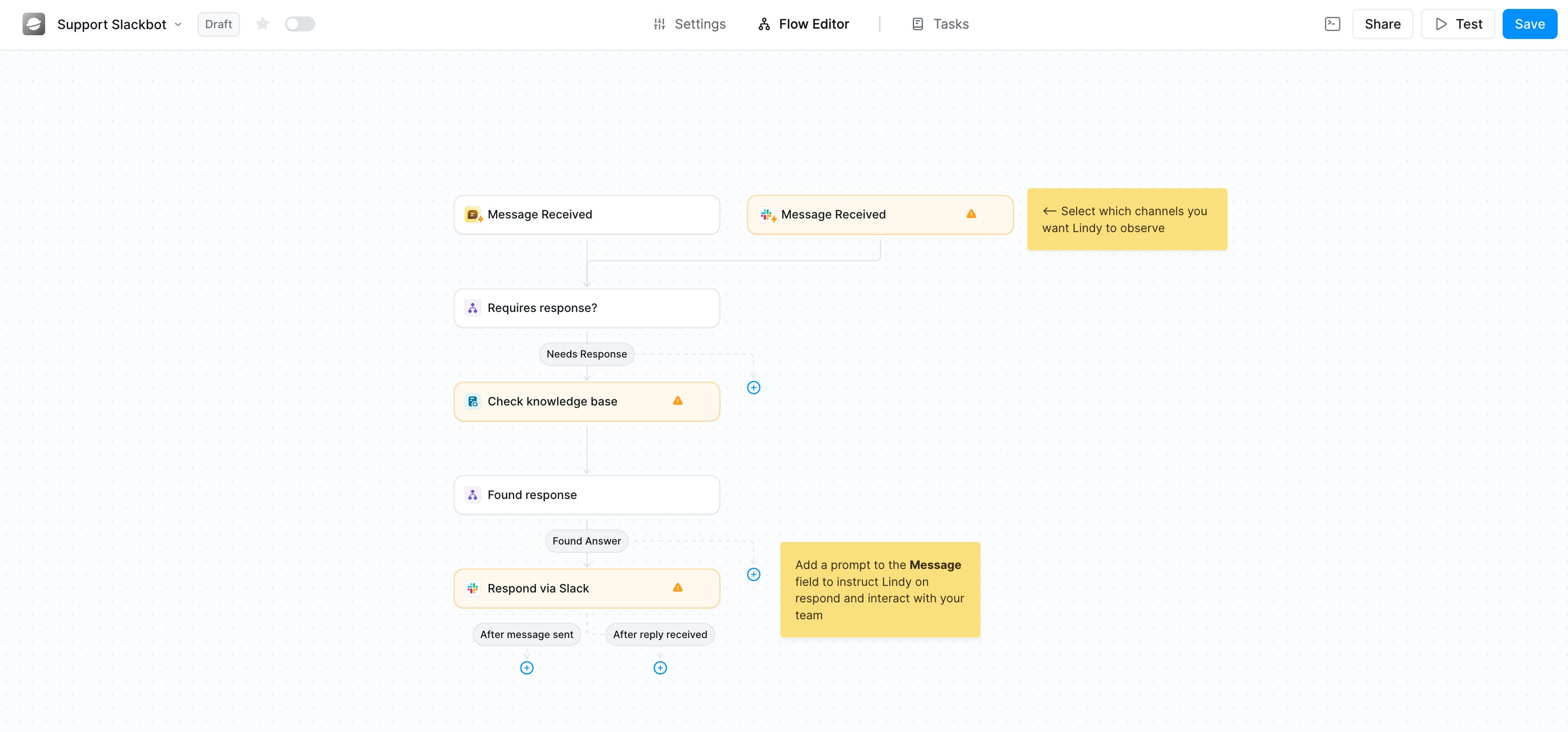
## What Can Lindy Do in Slack?
* **Answer team questions instantly** using your internal documents and knowledge base
* **Automate customer support** by routing and responding to inquiries
* **Send smart notifications** from your CRM, calendar, or other tools
* **Summarize conversations** and extract action items
* **Route messages** to the right team members based on content
 ***
## Common Use Cases
### Internal Knowledge Bot
Answer employee questions about policies, procedures, and company information using your HR documents, handbooks, and wikis.
### Customer Support Assistant
Respond to customer inquiries in shared Slack channels, pulling information from your help docs and FAQ.
### Sales Alert System
Get instant notifications when new leads arrive, deals close, or important CRM events occur.
### Meeting Notes Distribution
Automatically share meeting summaries and action items to relevant channels after calls end.
***
## Security & Compliance
* **SOC 2 Type II Certified** — audited by Johanson Group
* **HIPAA Compliant** — approved for use with protected health information
* **GDPR & PIPEDA Compliant** — meets EU and Canadian privacy standards
Learn more at [lindy.ai/security](https://www.lindy.ai/security).
***
## Ready to Get Started?
Create your free account and connect Slack in minutes. No credit card required.
***
**AI Disclaimer:** Lindy uses AI to generate responses based on your knowledge base. AI responses may occasionally be incomplete or inaccurate — we recommend human review for critical topics and using [Human in the Loop](/testing/human-in-the-loop) for high-stakes decisions. Lindy does not use your Slack data to train AI models.
***
## Common Use Cases
### Internal Knowledge Bot
Answer employee questions about policies, procedures, and company information using your HR documents, handbooks, and wikis.
### Customer Support Assistant
Respond to customer inquiries in shared Slack channels, pulling information from your help docs and FAQ.
### Sales Alert System
Get instant notifications when new leads arrive, deals close, or important CRM events occur.
### Meeting Notes Distribution
Automatically share meeting summaries and action items to relevant channels after calls end.
***
## Security & Compliance
* **SOC 2 Type II Certified** — audited by Johanson Group
* **HIPAA Compliant** — approved for use with protected health information
* **GDPR & PIPEDA Compliant** — meets EU and Canadian privacy standards
Learn more at [lindy.ai/security](https://www.lindy.ai/security).
***
## Ready to Get Started?
Create your free account and connect Slack in minutes. No credit card required.
***
**AI Disclaimer:** Lindy uses AI to generate responses based on your knowledge base. AI responses may occasionally be incomplete or inaccurate — we recommend human review for critical topics and using [Human in the Loop](/testing/human-in-the-loop) for high-stakes decisions. Lindy does not use your Slack data to train AI models.