> ## Documentation Index
> Fetch the complete documentation index at: https://docs.lindy.ai/llms.txt
> Use this file to discover all available pages before exploring further.
# Apify
> Run Apify Actors to automate web scraping, data processing, and other tasks using pre-built containerized programs
## Overview
Apify Actors are lightweight, containerized programs that automate tasks like web scraping, data processing, and workflows. Perfect for:
* **Web scraping** — extract data from websites using pre-built scrapers
* **Data processing** — transform and analyze data with specialized tools
* **Automation tasks** — run complex workflows with thousands of available Actors
[Apify offers 6,000+ pre-built Actors](https://apify.com/actors) that handle everything from social media scraping to data transformation, so you don't have to build scrapers from scratch.
## Run Actor Action
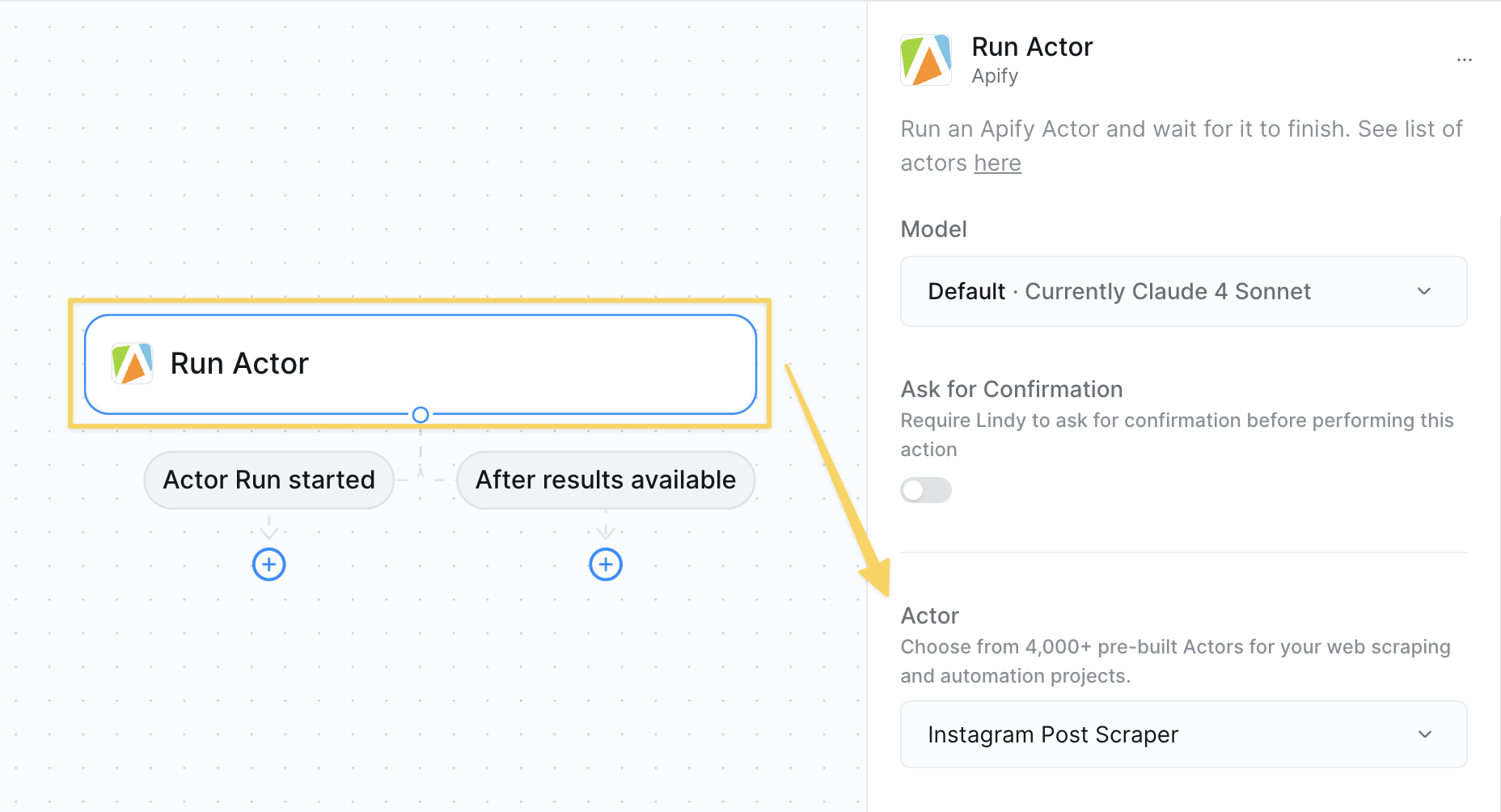
* **What it does**: Executes a selected Apify Actor with the specified configuration to perform web scraping, data processing, or other automated tasks.
 ### Inputs
* **Actor**: Select the specific Apify Actor you want to run from the available options
* **Variable inputs**: After selecting an Actor, you'll see additional input fields specific to that Actor's requirements
### Outputs
* **Results**: The data or output returned by the Actor (varies by Actor type)
## Best Practices
* Browse the Apify Store to find Actors for your specific needs
* Check Actor documentation for required inputs and configuration
* Test with small datasets before running large scraping jobs
* Verify Actor reliability and recent updates
* Monitor Actor runtime and resource usage
* Use appropriate Actor tiers based on your data volume needs
* Set reasonable timeouts for long-running scraping tasks
* Consider rate limits when scraping multiple websites
* Review Actor output format before integration
* Store results in variables or context for further processing
* Clean and validate scraped data before use
## Next Steps
Research and gather information before scraping
Store scraped data for your agent's memory
Save Actor results for use in other workflow steps
Alternative web research and data enrichment
### Inputs
* **Actor**: Select the specific Apify Actor you want to run from the available options
* **Variable inputs**: After selecting an Actor, you'll see additional input fields specific to that Actor's requirements
### Outputs
* **Results**: The data or output returned by the Actor (varies by Actor type)
## Best Practices
* Browse the Apify Store to find Actors for your specific needs
* Check Actor documentation for required inputs and configuration
* Test with small datasets before running large scraping jobs
* Verify Actor reliability and recent updates
* Monitor Actor runtime and resource usage
* Use appropriate Actor tiers based on your data volume needs
* Set reasonable timeouts for long-running scraping tasks
* Consider rate limits when scraping multiple websites
* Review Actor output format before integration
* Store results in variables or context for further processing
* Clean and validate scraped data before use
## Next Steps
Research and gather information before scraping
Store scraped data for your agent's memory
Save Actor results for use in other workflow steps
Alternative web research and data enrichment