> ## Documentation Index
> Fetch the complete documentation index at: https://docs.lindy.ai/llms.txt
> Use this file to discover all available pages before exploring further.
# Parallel
> Chat with websites and enrich data using Parallel's web browsing and data enrichment capabilities
## Overview
Parallel provides powerful web browsing and data enrichment capabilities for your agents. Perfect for:
* **Web research** — ask questions and get answers from web content
* **Data enrichment** — automatically enhance your data with web information
* **Entity research** — gather detailed information about companies, people, or topics
## Chat with Web Action
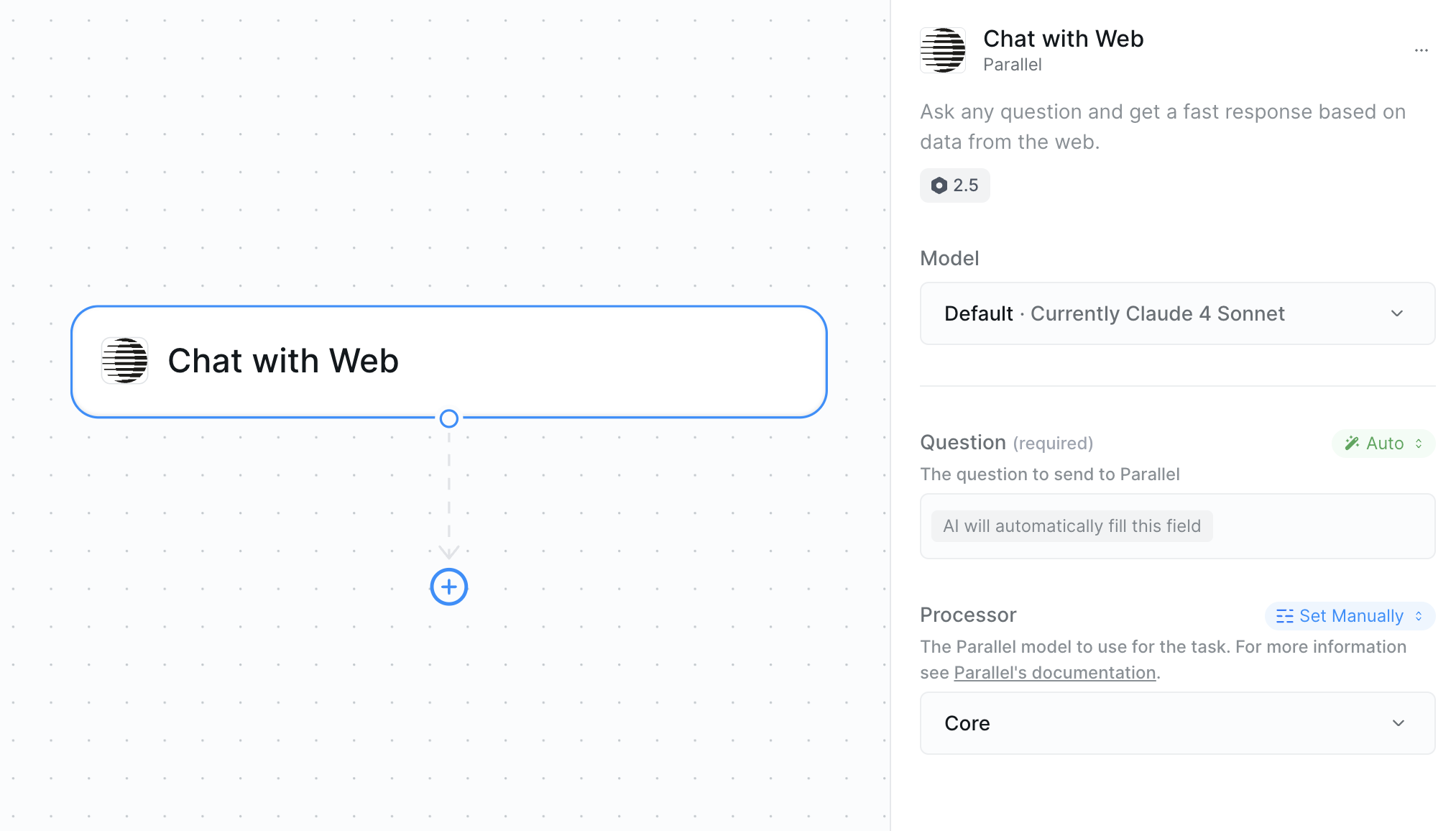
* **What it does**: Ask questions and get answers by browsing and analyzing web content in real-time.
 ### Inputs
* **Question**: The query or question you want answered
* **Processor**: Choose the model strength for your research needs
### Outputs
* **Response**: The response based on web research
## Web Enrichment Action
* **What it does**: Enriches your data by automatically gathering additional information about entities from the web.
### Inputs
* **Question**: The query or question you want answered
* **Processor**: Choose the model strength for your research needs
### Outputs
* **Response**: The response based on web research
## Web Enrichment Action
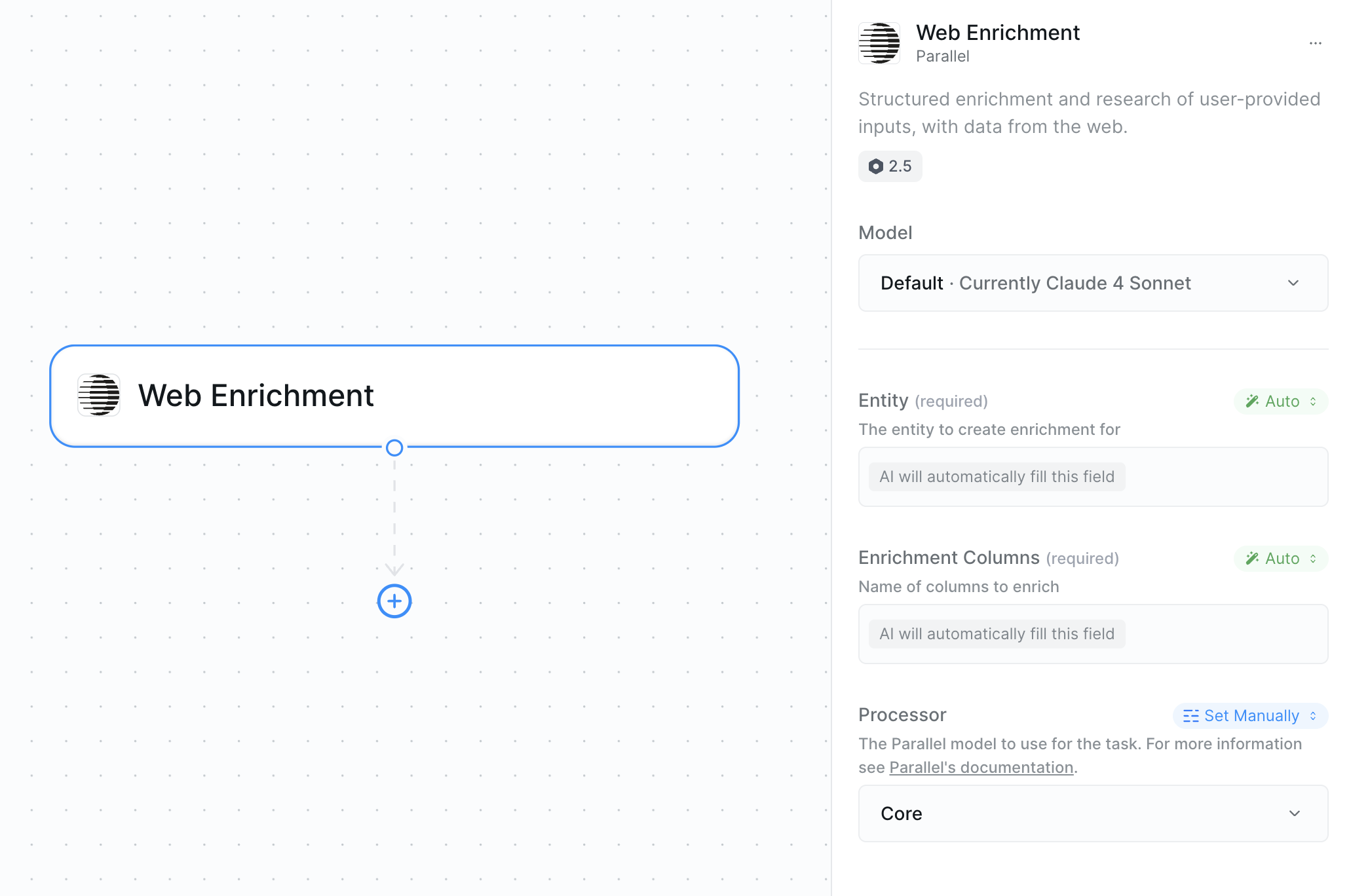
* **What it does**: Enriches your data by automatically gathering additional information about entities from the web.
 ### Inputs
* **Entity**: The thing you want to enrich (company name, person, topic, etc.)
* **Enrichment Columns**: Choose automatic enrichment or specify custom columns
* **Processor**: Choose the model strength for processing
### Example Enrichment Columns
| Entity Type | Common Columns |
| -------------------- | ---------------------------------------------------------------------- |
| **Companies** | Industry, Employee Count, Revenue, Website, Headquarters, Founded Year |
| **People** | Job Title, Company, LinkedIn Profile, Education, Location |
| **General Entities** | Description, Category, Related Links, Key Facts |
### Outputs
* **Enriched Data**: Enhanced information about your entity
## Processor Selection
Both actions use the same processor options:
| Processor | Description | Strength |
| --------- | ----------------------------------------- | -------- |
| **Lite** | Basic web browsing and research | ⭐ |
| **Base** | Standard processing with better analysis | ⭐⭐ |
| **Core** | Enhanced capabilities for complex tasks | ⭐⭐⭐ |
| **Pro** | Advanced processing with detailed results | ⭐⭐⭐⭐ |
| **Ultra** | Maximum capability for thorough research | ⭐⭐⭐⭐⭐ |
Core processor provides good balance of speed and detail for most research tasks.
## Best Practices
* Be specific about what information you need
* Include context when asking about entities
* Use clear, direct questions for better results
* Specify timeframes when relevant
* Start with automatic enrichment to see available data
* Use specific columns when you know what you need
* Choose appropriate processor based on entity complexity
* Test with sample entities before processing large datasets
* When looping, set concurrency limits to prevent hitting rate limits
* Reduce parallel requests when processing large datasets
* Monitor for timeout errors and adjust concurrency accordingly
## Next Steps
Alternative web search with AI-powered research
Store research findings for your agent's memory
Save enriched data for use in other workflow steps
Extract specific data from websites
### Inputs
* **Entity**: The thing you want to enrich (company name, person, topic, etc.)
* **Enrichment Columns**: Choose automatic enrichment or specify custom columns
* **Processor**: Choose the model strength for processing
### Example Enrichment Columns
| Entity Type | Common Columns |
| -------------------- | ---------------------------------------------------------------------- |
| **Companies** | Industry, Employee Count, Revenue, Website, Headquarters, Founded Year |
| **People** | Job Title, Company, LinkedIn Profile, Education, Location |
| **General Entities** | Description, Category, Related Links, Key Facts |
### Outputs
* **Enriched Data**: Enhanced information about your entity
## Processor Selection
Both actions use the same processor options:
| Processor | Description | Strength |
| --------- | ----------------------------------------- | -------- |
| **Lite** | Basic web browsing and research | ⭐ |
| **Base** | Standard processing with better analysis | ⭐⭐ |
| **Core** | Enhanced capabilities for complex tasks | ⭐⭐⭐ |
| **Pro** | Advanced processing with detailed results | ⭐⭐⭐⭐ |
| **Ultra** | Maximum capability for thorough research | ⭐⭐⭐⭐⭐ |
Core processor provides good balance of speed and detail for most research tasks.
## Best Practices
* Be specific about what information you need
* Include context when asking about entities
* Use clear, direct questions for better results
* Specify timeframes when relevant
* Start with automatic enrichment to see available data
* Use specific columns when you know what you need
* Choose appropriate processor based on entity complexity
* Test with sample entities before processing large datasets
* When looping, set concurrency limits to prevent hitting rate limits
* Reduce parallel requests when processing large datasets
* Monitor for timeout errors and adjust concurrency accordingly
## Next Steps
Alternative web search with AI-powered research
Store research findings for your agent's memory
Save enriched data for use in other workflow steps
Extract specific data from websites