> ## Documentation Index
> Fetch the complete documentation index at: https://docs.lindy.ai/llms.txt
> Use this file to discover all available pages before exploring further.
# Artifacts
> Live pages Lindy builds and hosts for you: dashboards, reports, prototypes, and internal sites, each on its own link you control.
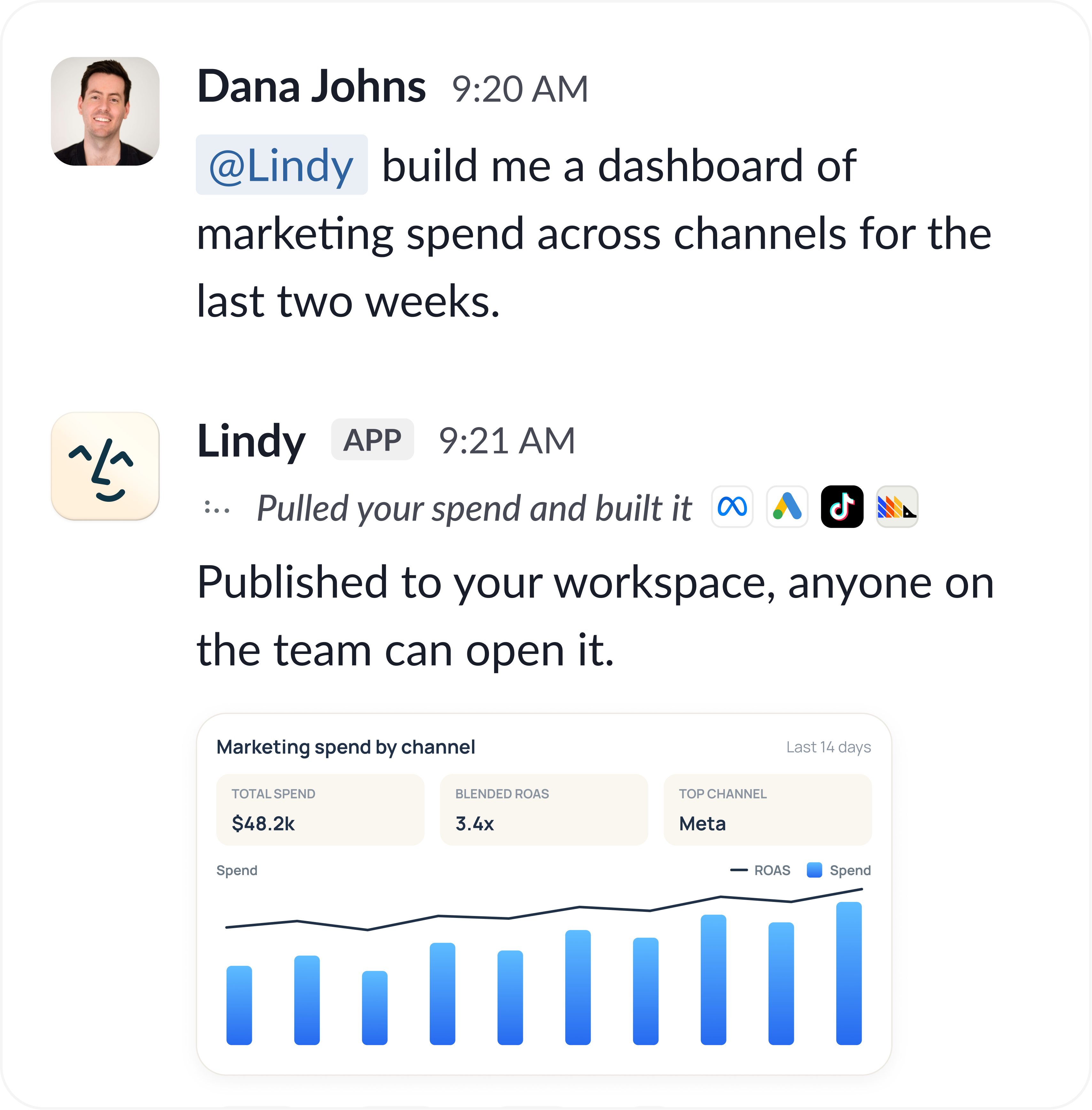 Ask Lindy for a dashboard, a report, or a page and it doesn't hand back a file to open. It builds the thing, hosts it, and gives you a link on its own `lindy.link` address.
Anything that renders in a browser works: live dashboards, weekly reporting, call prep pages, design prototypes, generated assets, one-off internal sites.
## Every artifact starts private
A new artifact is private. Signed-in members of your workspace can open the link. Anyone outside it gets **This artifact is private**, even with the exact URL.
That default is deliberate. Artifacts get built out of your real work: inbox content, meeting notes, revenue numbers. Copying the URL never bypasses the permission.
Private means private to your workspace, not to you alone. A teammate who is signed in can open any artifact in the workspace, which is why a link you paste in a channel just works for the team and not for anyone outside it.
## Sharing one publicly
Ask Lindy to publish it: **"make that dashboard public"** or **"give me a shareable link."** Lindy asks you to approve first, same as any other write action, and returns the public URL once you do.
Public means public. Anyone with the link opens the page without signing in, and there is no share-with-one-person mode. Publish only what you would be comfortable with anyone seeing.
Ask Lindy to unpublish it and the link goes offline, back to workspace-only.
## Keeping one up to date
Ask for changes and Lindy rebuilds the page on the same URL, so a link you already shared keeps working and shows the current version.
That is the point of a hosted page over an exported file: the people you sent it to see this morning's numbers, not the copy you emailed on Tuesday.
## What teams build with them
| Artifact | What it replaces |
| ---------------------- | ------------------------------------------------------- |
| **Live dashboard** | The spreadsheet someone refreshes by hand every Monday |
| **Call prep page** | Ten browser tabs opened five minutes before the meeting |
| **Weekly report** | A recurring deck nobody updates after week three |
| **Design prototype** | A static mockup you can't click through |
| **Internal one-pager** | The doc that gets forked into four stale copies |
## Relevant Docs
Ask Lindy for a piece of work and get the finished thing back
Have Lindy refresh an artifact on a schedule
Ask Lindy for a dashboard, a report, or a page and it doesn't hand back a file to open. It builds the thing, hosts it, and gives you a link on its own `lindy.link` address.
Anything that renders in a browser works: live dashboards, weekly reporting, call prep pages, design prototypes, generated assets, one-off internal sites.
## Every artifact starts private
A new artifact is private. Signed-in members of your workspace can open the link. Anyone outside it gets **This artifact is private**, even with the exact URL.
That default is deliberate. Artifacts get built out of your real work: inbox content, meeting notes, revenue numbers. Copying the URL never bypasses the permission.
Private means private to your workspace, not to you alone. A teammate who is signed in can open any artifact in the workspace, which is why a link you paste in a channel just works for the team and not for anyone outside it.
## Sharing one publicly
Ask Lindy to publish it: **"make that dashboard public"** or **"give me a shareable link."** Lindy asks you to approve first, same as any other write action, and returns the public URL once you do.
Public means public. Anyone with the link opens the page without signing in, and there is no share-with-one-person mode. Publish only what you would be comfortable with anyone seeing.
Ask Lindy to unpublish it and the link goes offline, back to workspace-only.
## Keeping one up to date
Ask for changes and Lindy rebuilds the page on the same URL, so a link you already shared keeps working and shows the current version.
That is the point of a hosted page over an exported file: the people you sent it to see this morning's numbers, not the copy you emailed on Tuesday.
## What teams build with them
| Artifact | What it replaces |
| ---------------------- | ------------------------------------------------------- |
| **Live dashboard** | The spreadsheet someone refreshes by hand every Monday |
| **Call prep page** | Ten browser tabs opened five minutes before the meeting |
| **Weekly report** | A recurring deck nobody updates after week three |
| **Design prototype** | A static mockup you can't click through |
| **Internal one-pager** | The doc that gets forked into four stale copies |
## Relevant Docs
Ask Lindy for a piece of work and get the finished thing back
Have Lindy refresh an artifact on a schedule