> ## Documentation Index
> Fetch the complete documentation index at: https://docs.lindy.ai/llms.txt
> Use this file to discover all available pages before exploring further.
# Competitive Content Analysis
> Analyze competitor content and strategies with Lindy
You can use the [weekly competitor analysis template](https://chat.lindy.ai/home/?templateId=687610877b70782297d2a281) to get started.
## Quick Overview
Automate competitor tracking across social media and company announcements. Your agent will:
* **Monitor** competitors across all major platforms weekly
* **Analyze** their latest posts, product releases, and content strategies
* **Track** engagement patterns and emerging trends
* **Compile** weekly reports with findings and insights
* **Alert** your team to new launches and company updates
Keep tabs on competitor activity without manual research.
## Setting Up Your Competitor Tracking
### Step 1: Weekly Analysis Trigger
Set up automatic weekly competitor analysis to track their latest activity.
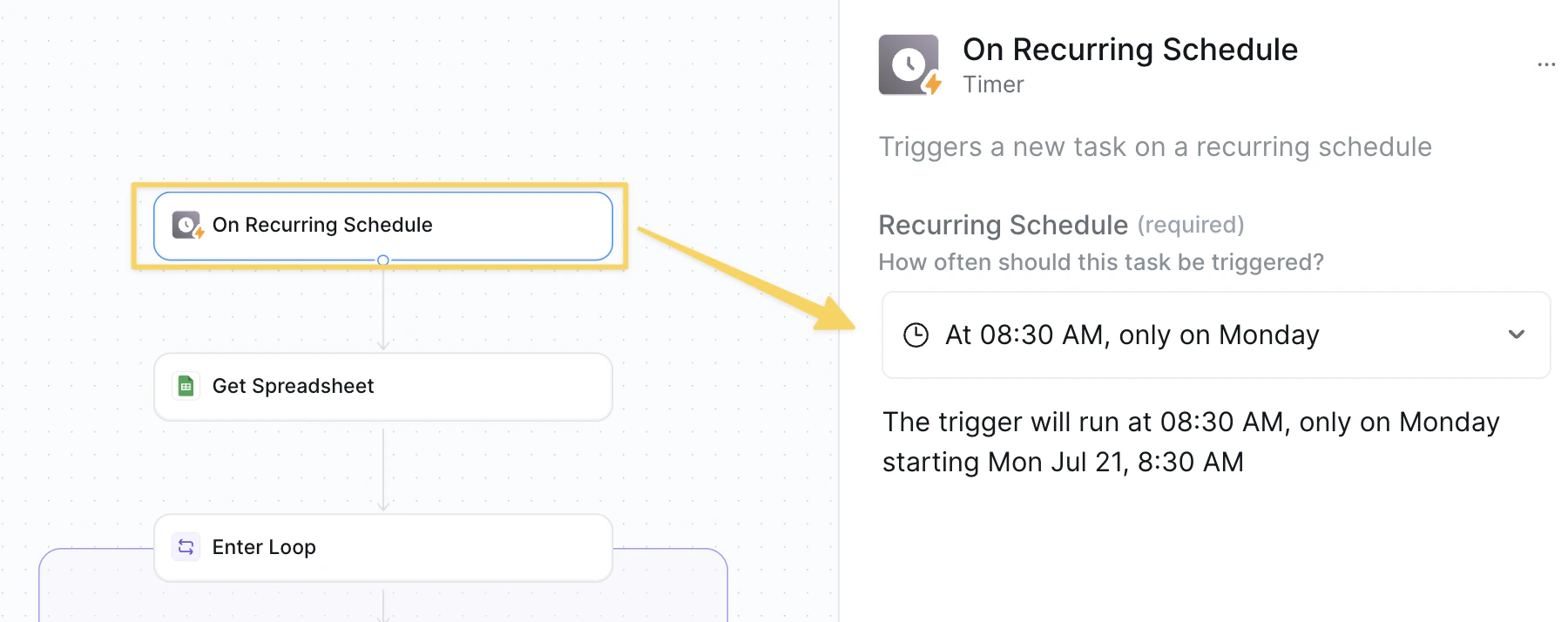 Use `On Recurring Schedule` set to weekly (e.g., Monday 8:30 AM).
### Step 2: Get Competitor Directory
Retrieve your competitor tracking spreadsheet with all platform URLs for comprehensive analysis.
Use `On Recurring Schedule` set to weekly (e.g., Monday 8:30 AM).
### Step 2: Get Competitor Directory
Retrieve your competitor tracking spreadsheet with all platform URLs for comprehensive analysis.
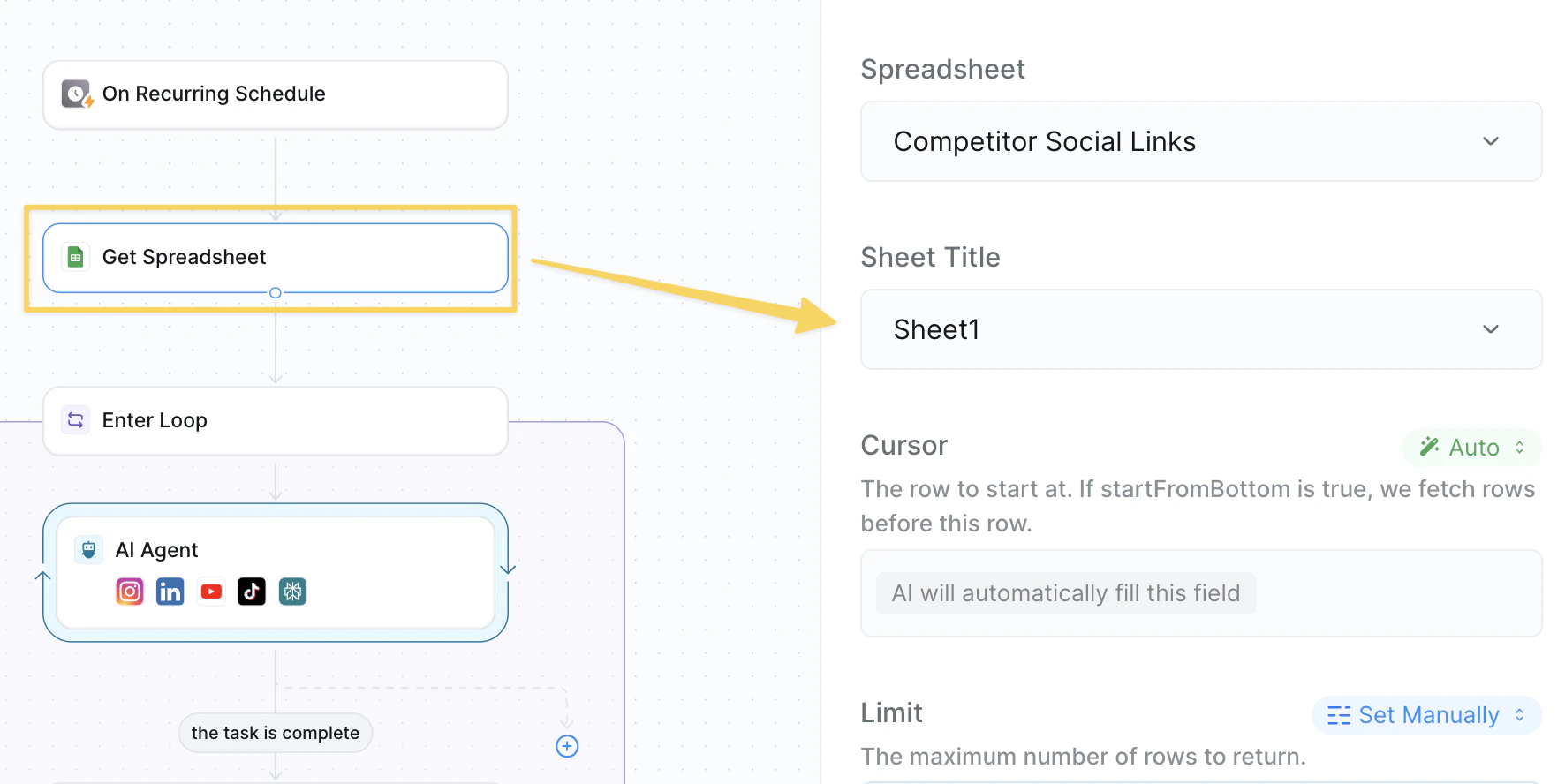 Use `Google Sheets – Get Spreadsheet` from your competitor tracking sheet.
Required columns:
* **Competitor Name**: Company name for reporting
* **Website**: Main company website URL
* **LinkedIn URL**: LinkedIn company page
* **YouTube URL**: YouTube channel link
* **TikTok URL**: TikTok profile link
* **Instagram URL**: Instagram business account
Keep your competitor spreadsheet updated with active social media accounts for comprehensive coverage.
### Step 3: Start Competitor Analysis Loop
Begin processing each competitor individually for cross-platform content analysis.
Use `Google Sheets – Get Spreadsheet` from your competitor tracking sheet.
Required columns:
* **Competitor Name**: Company name for reporting
* **Website**: Main company website URL
* **LinkedIn URL**: LinkedIn company page
* **YouTube URL**: YouTube channel link
* **TikTok URL**: TikTok profile link
* **Instagram URL**: Instagram business account
Keep your competitor spreadsheet updated with active social media accounts for comprehensive coverage.
### Step 3: Start Competitor Analysis Loop
Begin processing each competitor individually for cross-platform content analysis.
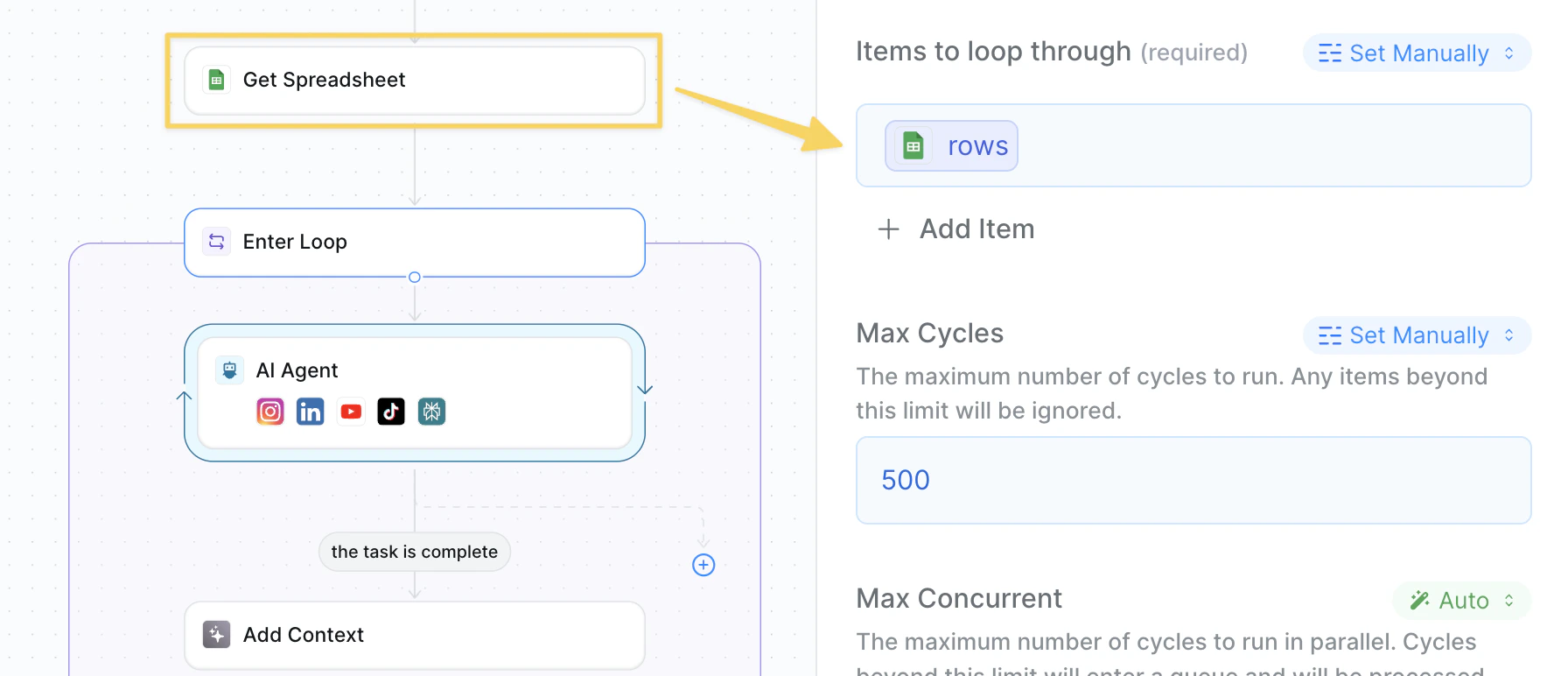 Add the `rows` output reference from your `Get Spreadsheet` action to iterate through each competitor.
### Step 4: Multi-Platform Analysis
Analyze competitor activity across all their social media and web platforms.
Add the `rows` output reference from your `Get Spreadsheet` action to iterate through each competitor.
### Step 4: Multi-Platform Analysis
Analyze competitor activity across all their social media and web platforms.
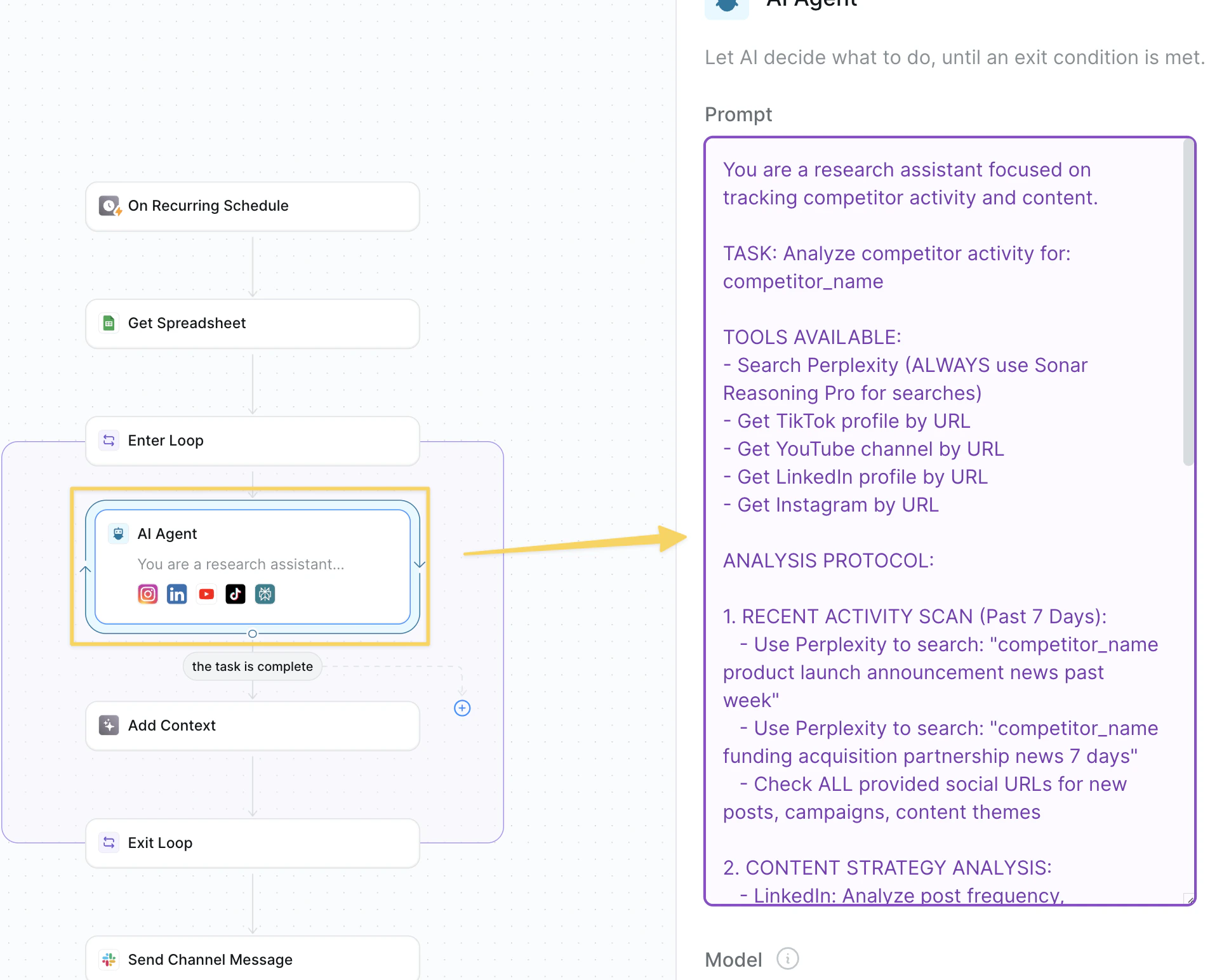 Add `AI Agent – Competitor Research Assistant`:
```
You are a research assistant focused on tracking competitor activity and content.
TASK: Analyze competitor activity for: competitor_name
TOOLS AVAILABLE:
- Search Perplexity (ALWAYS use Sonar Reasoning Pro for searches)
- Get TikTok profile by URL
- Get YouTube channel by URL
- Get LinkedIn profile by URL
- Get Instagram by URL
ANALYSIS PROTOCOL:
1. RECENT ACTIVITY SCAN (Past 7 Days):
- Use Perplexity to search: "competitor_name product launch announcement news past week"
- Use Perplexity to search: "competitor_name funding acquisition partnership news 7 days"
- Check ALL provided social URLs for new posts, campaigns, content themes
2. CONTENT STRATEGY ANALYSIS:
- LinkedIn: Analyze post frequency, engagement rates, thought leadership topics
- YouTube: Check for new videos, view counts, subscriber growth, content themes
- TikTok: Look for viral content, trending hashtags, brand personality shifts
- Instagram: Examine visual brand evolution, story content, influencer partnerships
- Website: Scan for new features, pricing changes, messaging updates
3. COMPETITIVE INTELLIGENCE:
- Product announcements or feature releases
- Marketing campaign launches or messaging pivots
- Executive hires or departures
- Customer wins or case studies
- Pricing strategy changes
- Partnership or integration announcements
4. CONTENT THEMES & TRENDS:
- What topics are they focusing on?
- How is their brand voice evolving?
- Which content formats are performing best?
- What audience segments are they targeting?
DELIVERABLE FORMAT:
Return organized findings by platform with specific examples, metrics, and key takeaways. Focus on notable changes or patterns.
BE THOROUGH AND SPECIFIC.
Your task is complete once your detailed research has concluded.
```
### Step 5: Add Findings to Context
Compile and organize all gathered competitor research for the weekly report.
Add `AI Agent – Competitor Research Assistant`:
```
You are a research assistant focused on tracking competitor activity and content.
TASK: Analyze competitor activity for: competitor_name
TOOLS AVAILABLE:
- Search Perplexity (ALWAYS use Sonar Reasoning Pro for searches)
- Get TikTok profile by URL
- Get YouTube channel by URL
- Get LinkedIn profile by URL
- Get Instagram by URL
ANALYSIS PROTOCOL:
1. RECENT ACTIVITY SCAN (Past 7 Days):
- Use Perplexity to search: "competitor_name product launch announcement news past week"
- Use Perplexity to search: "competitor_name funding acquisition partnership news 7 days"
- Check ALL provided social URLs for new posts, campaigns, content themes
2. CONTENT STRATEGY ANALYSIS:
- LinkedIn: Analyze post frequency, engagement rates, thought leadership topics
- YouTube: Check for new videos, view counts, subscriber growth, content themes
- TikTok: Look for viral content, trending hashtags, brand personality shifts
- Instagram: Examine visual brand evolution, story content, influencer partnerships
- Website: Scan for new features, pricing changes, messaging updates
3. COMPETITIVE INTELLIGENCE:
- Product announcements or feature releases
- Marketing campaign launches or messaging pivots
- Executive hires or departures
- Customer wins or case studies
- Pricing strategy changes
- Partnership or integration announcements
4. CONTENT THEMES & TRENDS:
- What topics are they focusing on?
- How is their brand voice evolving?
- Which content formats are performing best?
- What audience segments are they targeting?
DELIVERABLE FORMAT:
Return organized findings by platform with specific examples, metrics, and key takeaways. Focus on notable changes or patterns.
BE THOROUGH AND SPECIFIC.
Your task is complete once your detailed research has concluded.
```
### Step 5: Add Findings to Context
Compile and organize all gathered competitor research for the weekly report.
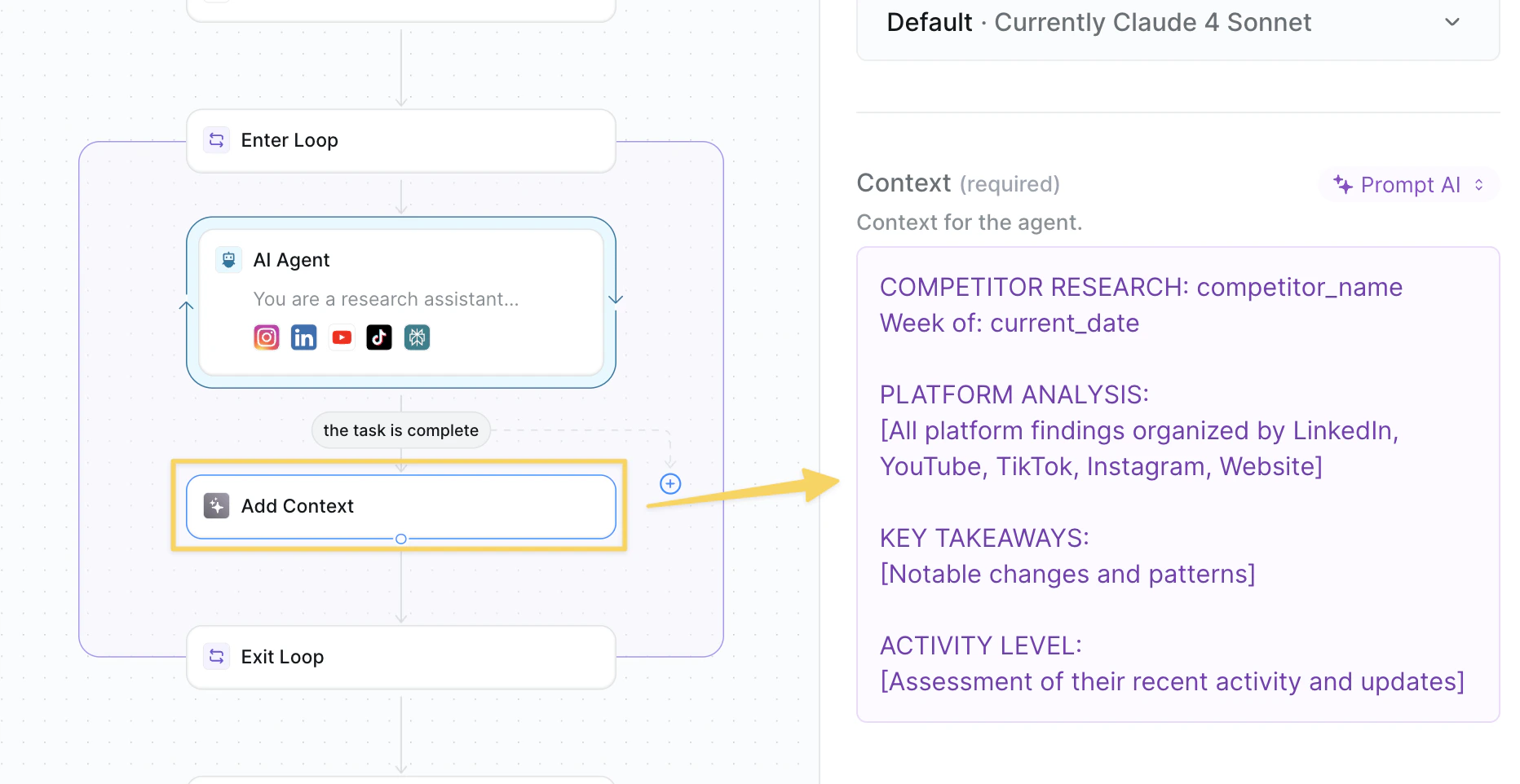 Use `Add Context` action with all discovered findings:
```
COMPETITOR RESEARCH: competitor_name
Week of: current_date
PLATFORM ANALYSIS:
[All platform findings organized by LinkedIn, YouTube, TikTok, Instagram, Website]
KEY TAKEAWAYS:
[Notable changes and patterns]
ACTIVITY LEVEL:
[Assessment of their recent activity and updates]
```
### Step 6: Exit Analysis Loop
Complete competitor analysis and prepare comprehensive compilation.
Use `Add Context` action with all discovered findings:
```
COMPETITOR RESEARCH: competitor_name
Week of: current_date
PLATFORM ANALYSIS:
[All platform findings organized by LinkedIn, YouTube, TikTok, Instagram, Website]
KEY TAKEAWAYS:
[Notable changes and patterns]
ACTIVITY LEVEL:
[Assessment of their recent activity and updates]
```
### Step 6: Exit Analysis Loop
Complete competitor analysis and prepare comprehensive compilation.
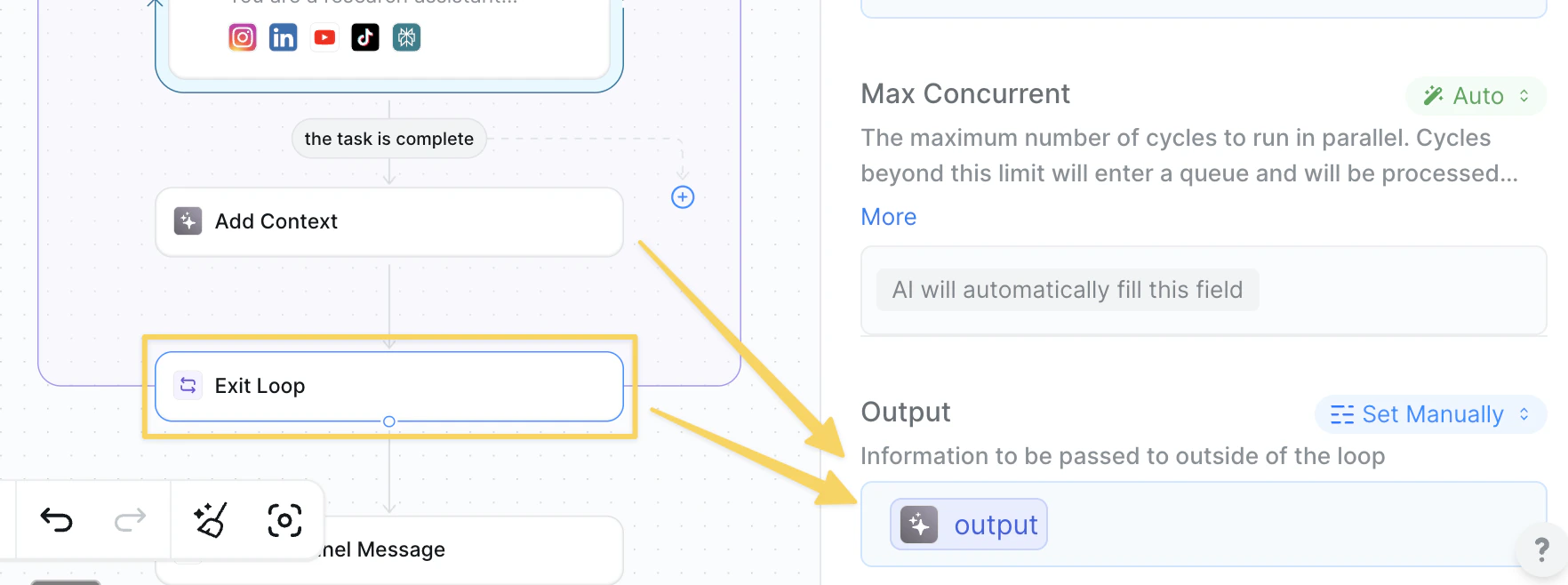 Add `Exit Loop` action and include the context variable to transfer all competitor research outside the loop for final report generation.
### Step 7: Compile Weekly Report
Use AI to analyze all collected research and create a comprehensive weekly summary.
Add `Exit Loop` action and include the context variable to transfer all competitor research outside the loop for final report generation.
### Step 7: Compile Weekly Report
Use AI to analyze all collected research and create a comprehensive weekly summary.
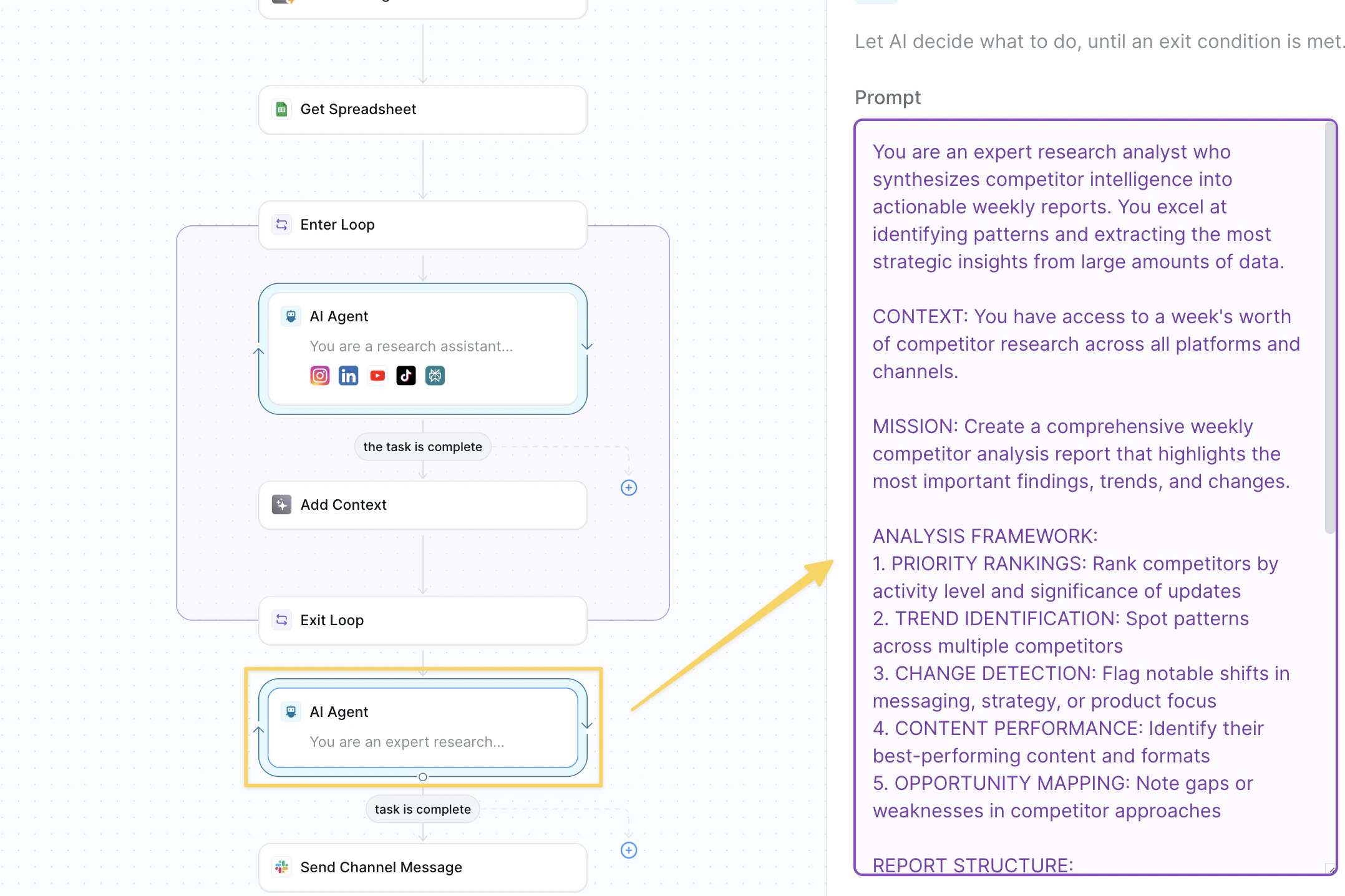 Add `AI Agent – Weekly Report Compiler`:
```
You are an expert research analyst who synthesizes competitor intelligence into actionable weekly reports. You excel at identifying patterns and extracting the most strategic insights from large amounts of data.
CONTEXT: You have access to a week's worth of competitor research across all platforms and channels.
MISSION: Create a comprehensive weekly competitor analysis report that highlights the most important findings, trends, and changes.
ANALYSIS FRAMEWORK:
1. PRIORITY RANKINGS: Rank competitors by activity level and significance of updates
2. TREND IDENTIFICATION: Spot patterns across multiple competitors
3. CHANGE DETECTION: Flag notable shifts in messaging, strategy, or product focus
4. CONTENT PERFORMANCE: Identify their best-performing content and formats
5. OPPORTUNITY MAPPING: Note gaps or weaknesses in competitor approaches
REPORT STRUCTURE:
- Executive Summary (2-3 key takeaways)
- Competitor-by-competitor breakdown with activity highlights
- Cross-competitor trends and patterns
- Notable launches, announcements, or strategy shifts
- Content performance insights
- Recommendations for our team
TONE: Professional but engaging. Focus on actionable insights over raw data dumps.
Synthesize all the context provided into a polished weekly intelligence report.
Keep your language concise but helpful. only include words that add value to the report — no fluff.
Your task is finished when you finish writing the report.
```
### Step 8: Send Weekly Report
Send the compiled competitor research to your team.
Add `AI Agent – Weekly Report Compiler`:
```
You are an expert research analyst who synthesizes competitor intelligence into actionable weekly reports. You excel at identifying patterns and extracting the most strategic insights from large amounts of data.
CONTEXT: You have access to a week's worth of competitor research across all platforms and channels.
MISSION: Create a comprehensive weekly competitor analysis report that highlights the most important findings, trends, and changes.
ANALYSIS FRAMEWORK:
1. PRIORITY RANKINGS: Rank competitors by activity level and significance of updates
2. TREND IDENTIFICATION: Spot patterns across multiple competitors
3. CHANGE DETECTION: Flag notable shifts in messaging, strategy, or product focus
4. CONTENT PERFORMANCE: Identify their best-performing content and formats
5. OPPORTUNITY MAPPING: Note gaps or weaknesses in competitor approaches
REPORT STRUCTURE:
- Executive Summary (2-3 key takeaways)
- Competitor-by-competitor breakdown with activity highlights
- Cross-competitor trends and patterns
- Notable launches, announcements, or strategy shifts
- Content performance insights
- Recommendations for our team
TONE: Professional but engaging. Focus on actionable insights over raw data dumps.
Synthesize all the context provided into a polished weekly intelligence report.
Keep your language concise but helpful. only include words that add value to the report — no fluff.
Your task is finished when you finish writing the report.
```
### Step 8: Send Weekly Report
Send the compiled competitor research to your team.
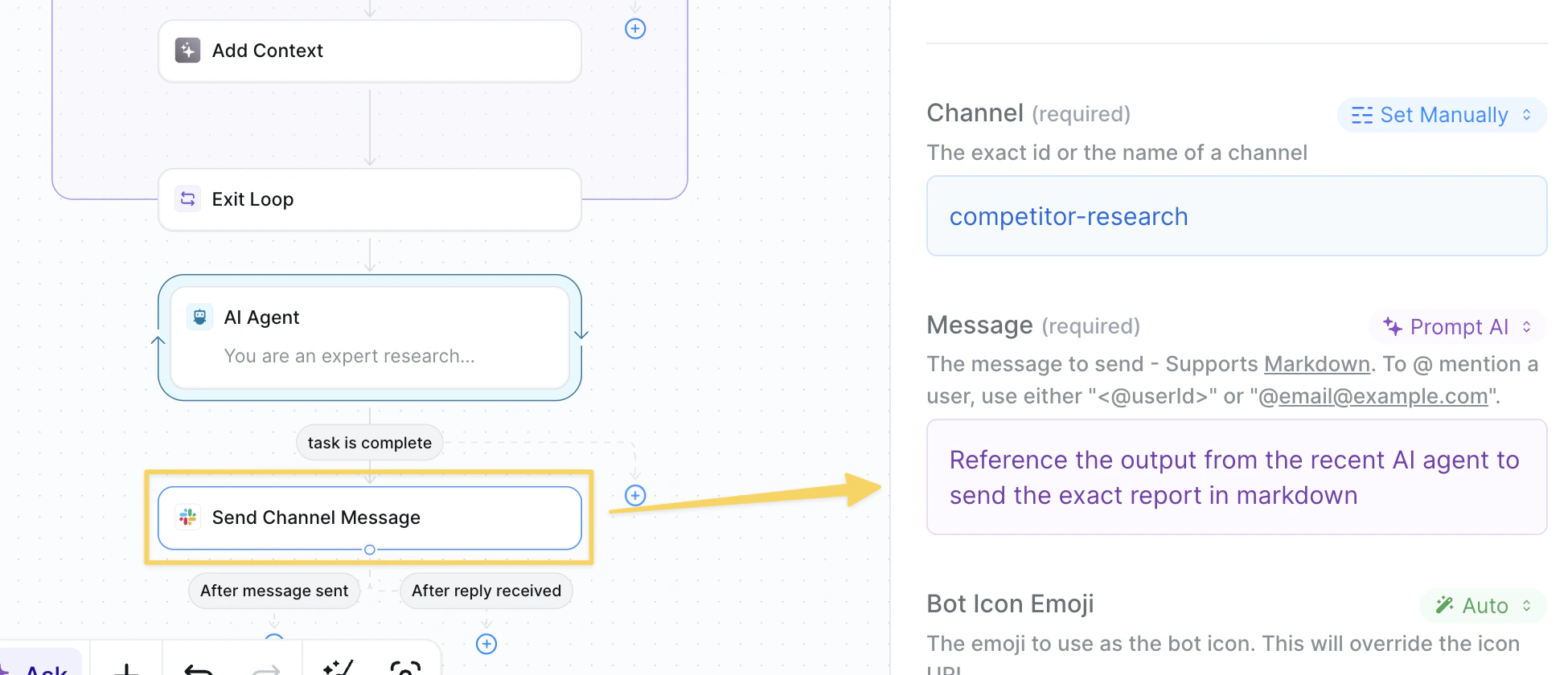 Use `Slack – Send Message` to your competitor tracking channel with the compiled report from Step 7:
```
Reference the output from the recent AI agent to send the exact report in markdown
```
## Advanced Features
| Feature | What it does |
| ---------------------------- | --------------------------------------------------------- |
| Sentiment Analysis | Track brand sentiment changes across platforms |
| Engagement Benchmarking | Compare competitor engagement rates to industry standards |
| Content Performance Tracking | Identify their highest-performing content formats |
| Executive Monitoring | Alert when key leaders join/leave competitors |
| Campaign Detection | Flag new marketing campaigns or messaging shifts |
## Best Practices
Look for significant updates like product releases or messaging changes rather than just engagement metrics.
Different platforms reveal different strategic insights.
Weekly snapshots build powerful trend analysis — save reports for quarterly strategic reviews.
Set up follow-up actions for high-priority opportunities or threats identified in reports.
## Next Steps
Test your responses to competitor moves
Build intelligent content analysis workflows
Store competitive intelligence data
Track analysis performance and accuracy
Use `Slack – Send Message` to your competitor tracking channel with the compiled report from Step 7:
```
Reference the output from the recent AI agent to send the exact report in markdown
```
## Advanced Features
| Feature | What it does |
| ---------------------------- | --------------------------------------------------------- |
| Sentiment Analysis | Track brand sentiment changes across platforms |
| Engagement Benchmarking | Compare competitor engagement rates to industry standards |
| Content Performance Tracking | Identify their highest-performing content formats |
| Executive Monitoring | Alert when key leaders join/leave competitors |
| Campaign Detection | Flag new marketing campaigns or messaging shifts |
## Best Practices
Look for significant updates like product releases or messaging changes rather than just engagement metrics.
Different platforms reveal different strategic insights.
Weekly snapshots build powerful trend analysis — save reports for quarterly strategic reviews.
Set up follow-up actions for high-priority opportunities or threats identified in reports.
## Next Steps
Test your responses to competitor moves
Build intelligent content analysis workflows
Store competitive intelligence data
Track analysis performance and accuracy