> ## Documentation Index
> Fetch the complete documentation index at: https://docs.lindy.ai/llms.txt
> Use this file to discover all available pages before exploring further.
# Email Negotiation
> Let your agent answer inquiries, negotiate terms, and close deals—then loop you in.
## Quick Overview
With the Email Negotiator flow, your agent will:
* **Monitor** your inbox for pricing or partnership inquiries
* **Query** a rich knowledge base for rates, packages, and policies
* **Respond** in your brand voice with accurate info
* **Negotiate** back-and-forth until a deal is closed or lost
* **Escalate** edge cases or wins straight to you via Slack
Start from the [email responder template](https://chat.lindy.ai/marketplace/?templateId=66bfc603ea73bec3fea906db) and tweak as below.
## Setting Up Your Negotiator
### Step 1: Connect the Trigger
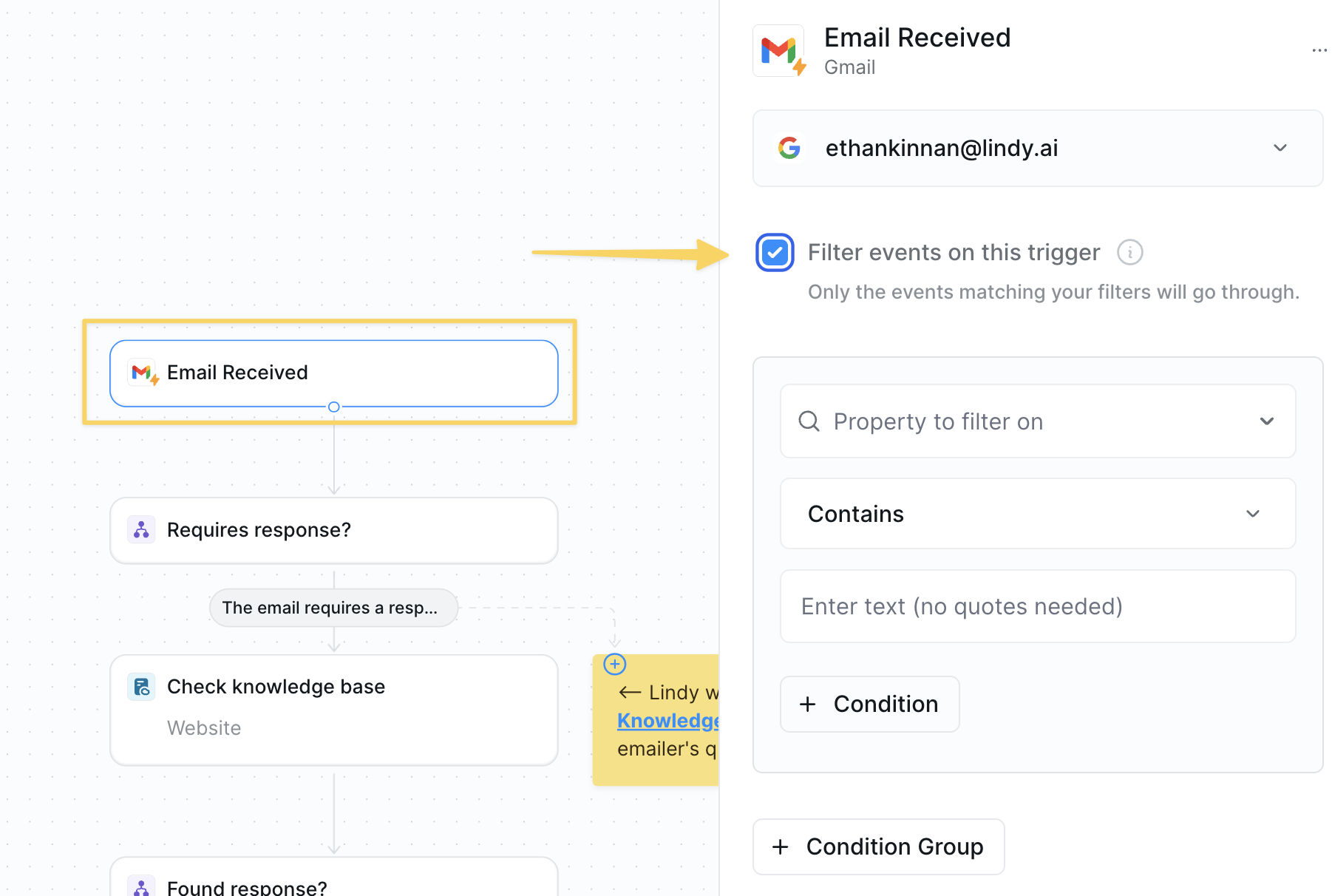 1. Use `Gmail – Email Received` as the trigger.
2. Add filters to ignore internal threads or newsletters.
### Step 2: Gate with a Condition
Filter out irrelevant emails early to avoid wasting resources on messages that don't need negotiation.
1. Use `Gmail – Email Received` as the trigger.
2. Add filters to ignore internal threads or newsletters.
### Step 2: Gate with a Condition
Filter out irrelevant emails early to avoid wasting resources on messages that don't need negotiation.
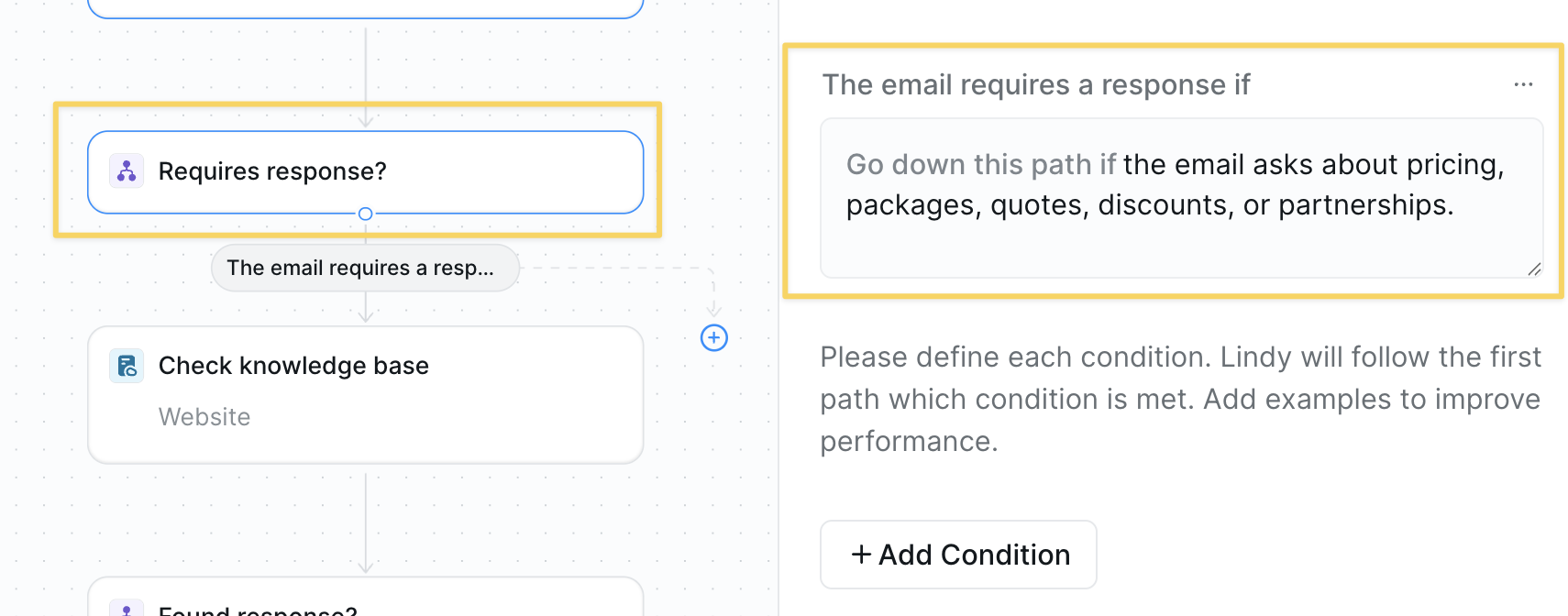 `Condition` prompt:
```
Only continue if the email asks about pricing, packages, quotes, discounts, or partnerships.
```
### Step 3: Build the Knowledge Base
Create a central repository of pricing and policy information so your agent can provide accurate, consistent responses.
`Condition` prompt:
```
Only continue if the email asks about pricing, packages, quotes, discounts, or partnerships.
```
### Step 3: Build the Knowledge Base
Create a central repository of pricing and policy information so your agent can provide accurate, consistent responses.
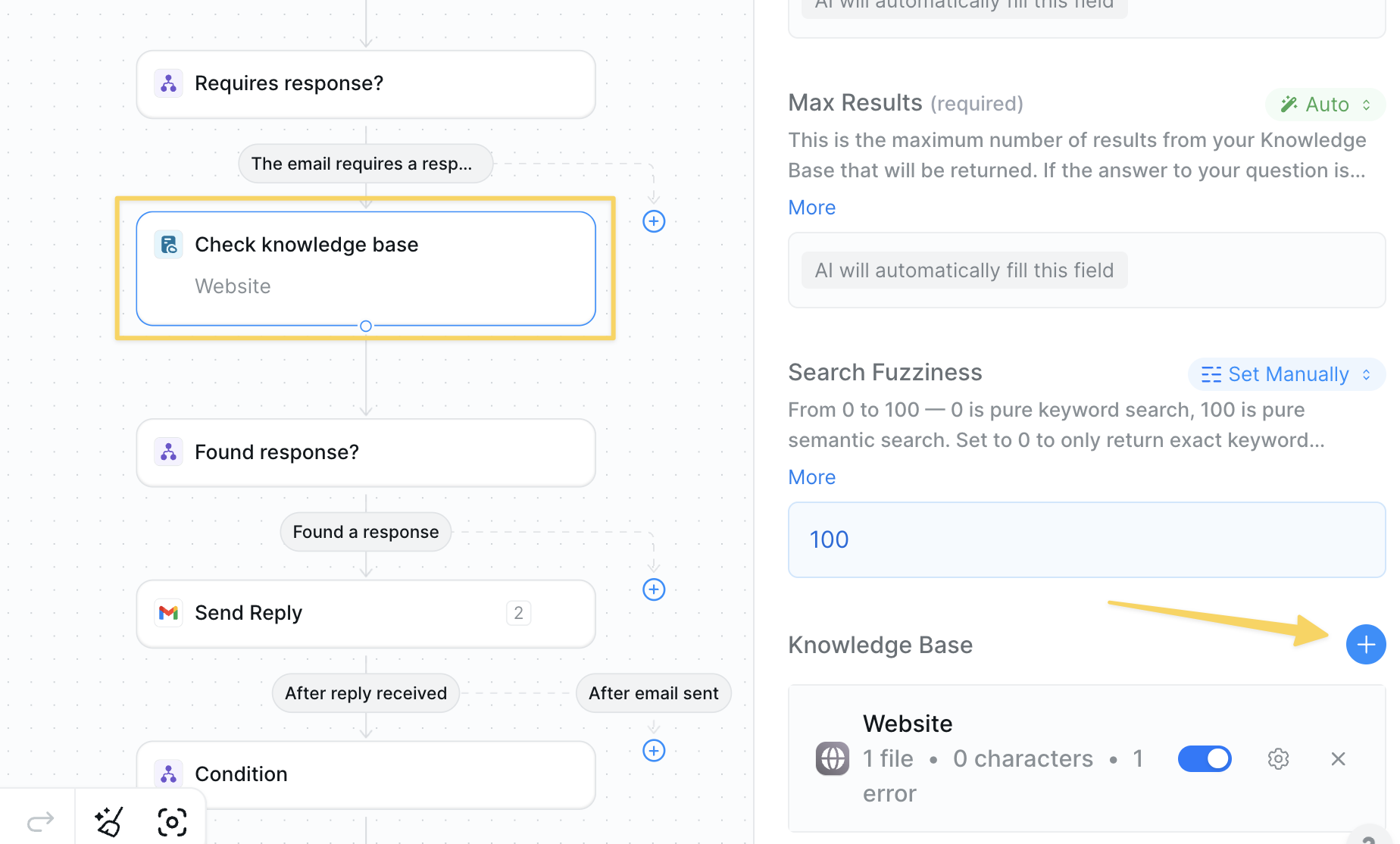 * Action: `Search Knowledge Base`
* Upload FAQs, rate cards, discount policies, and negotiation guidelines.
* Connect CRM or Google Docs as needed.
### Step 4: Verify an Answer Exists
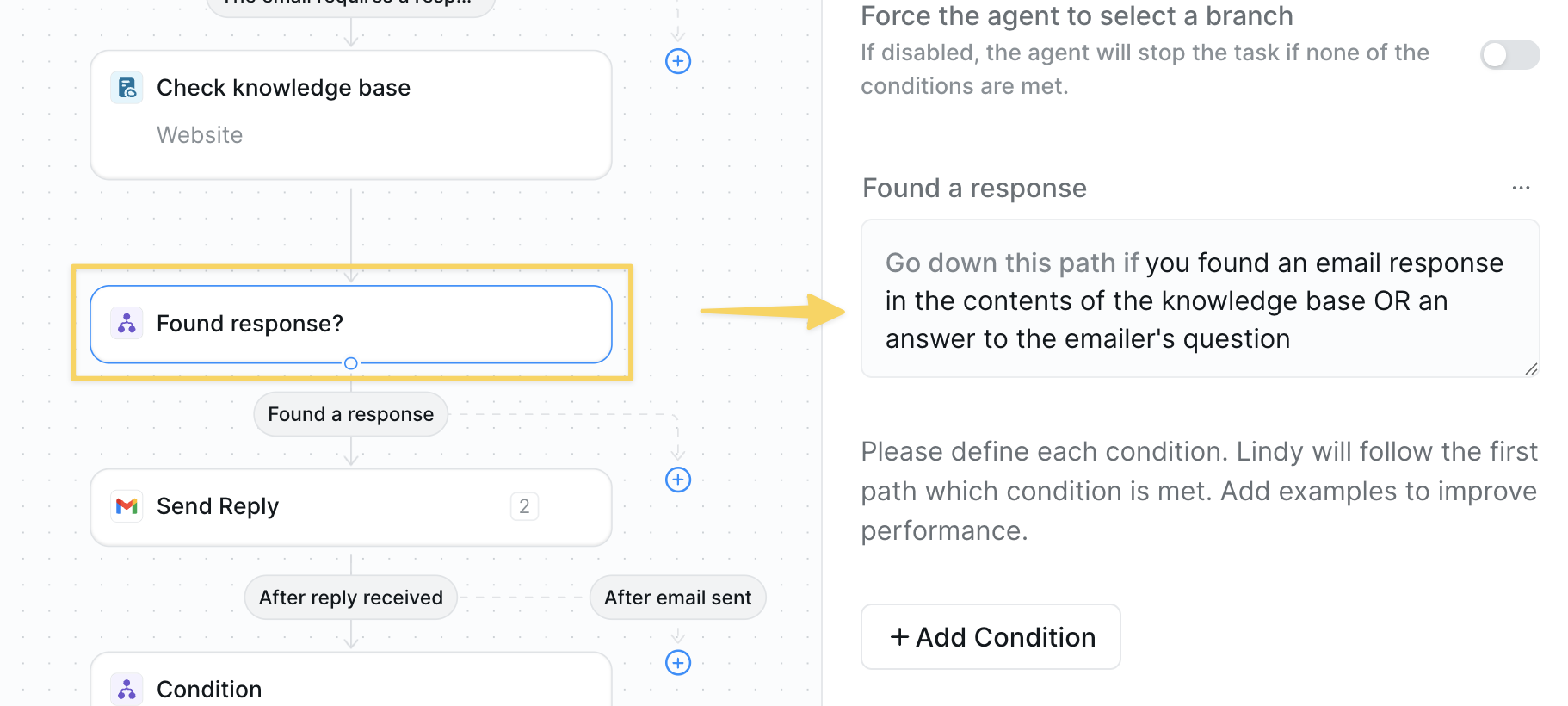
Check if we have the information needed to respond before attempting to negotiate, preventing unhelpful responses.
* Action: `Search Knowledge Base`
* Upload FAQs, rate cards, discount policies, and negotiation guidelines.
* Connect CRM or Google Docs as needed.
### Step 4: Verify an Answer Exists
Check if we have the information needed to respond before attempting to negotiate, preventing unhelpful responses.
 ### Step 5: Send the First Reply
Provide an initial response with relevant information to begin the negotiation process professionally.
### Step 5: Send the First Reply
Provide an initial response with relevant information to begin the negotiation process professionally.
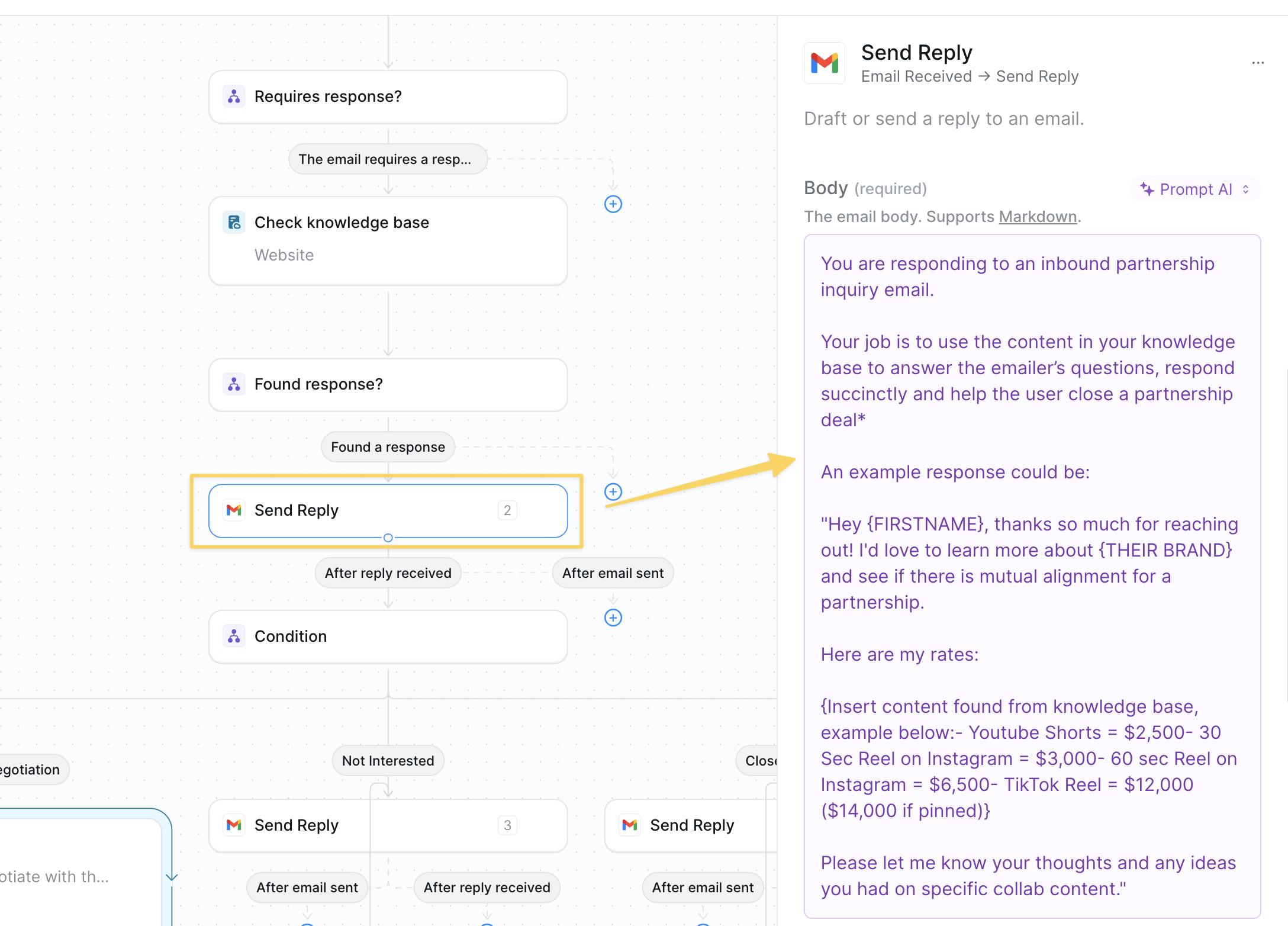 Example prompt:
```
You are responding to an inbound partnership inquiry email.
Your job is to use the content in your knowledge base to answer the emailer’s questions, respond succinctly and help the user close a partnership deal*
An example response could be:
"Hey {FIRSTNAME}, thanks so much for reaching out! I'd love to learn more about {THEIR BRAND} and see if there is mutual alignment for a partnership.
Here are my rates:
{Insert content found from knowledge base, example below:- Youtube Shorts = $2,500- 30 Sec Reel on Instagram = $3,000- 60 sec Reel on Instagram = $6,500- TikTok Reel = $12,000 ($14,000 if pinned)}
Please let me know your thoughts and any ideas you had on specific collab content."
```
### Step 6: Branch on Response Type
Categorize the prospect's response to determine the appropriate next action in the negotiation flow.
Example prompt:
```
You are responding to an inbound partnership inquiry email.
Your job is to use the content in your knowledge base to answer the emailer’s questions, respond succinctly and help the user close a partnership deal*
An example response could be:
"Hey {FIRSTNAME}, thanks so much for reaching out! I'd love to learn more about {THEIR BRAND} and see if there is mutual alignment for a partnership.
Here are my rates:
{Insert content found from knowledge base, example below:- Youtube Shorts = $2,500- 30 Sec Reel on Instagram = $3,000- 60 sec Reel on Instagram = $6,500- TikTok Reel = $12,000 ($14,000 if pinned)}
Please let me know your thoughts and any ideas you had on specific collab content."
```
### Step 6: Branch on Response Type
Categorize the prospect's response to determine the appropriate next action in the negotiation flow.
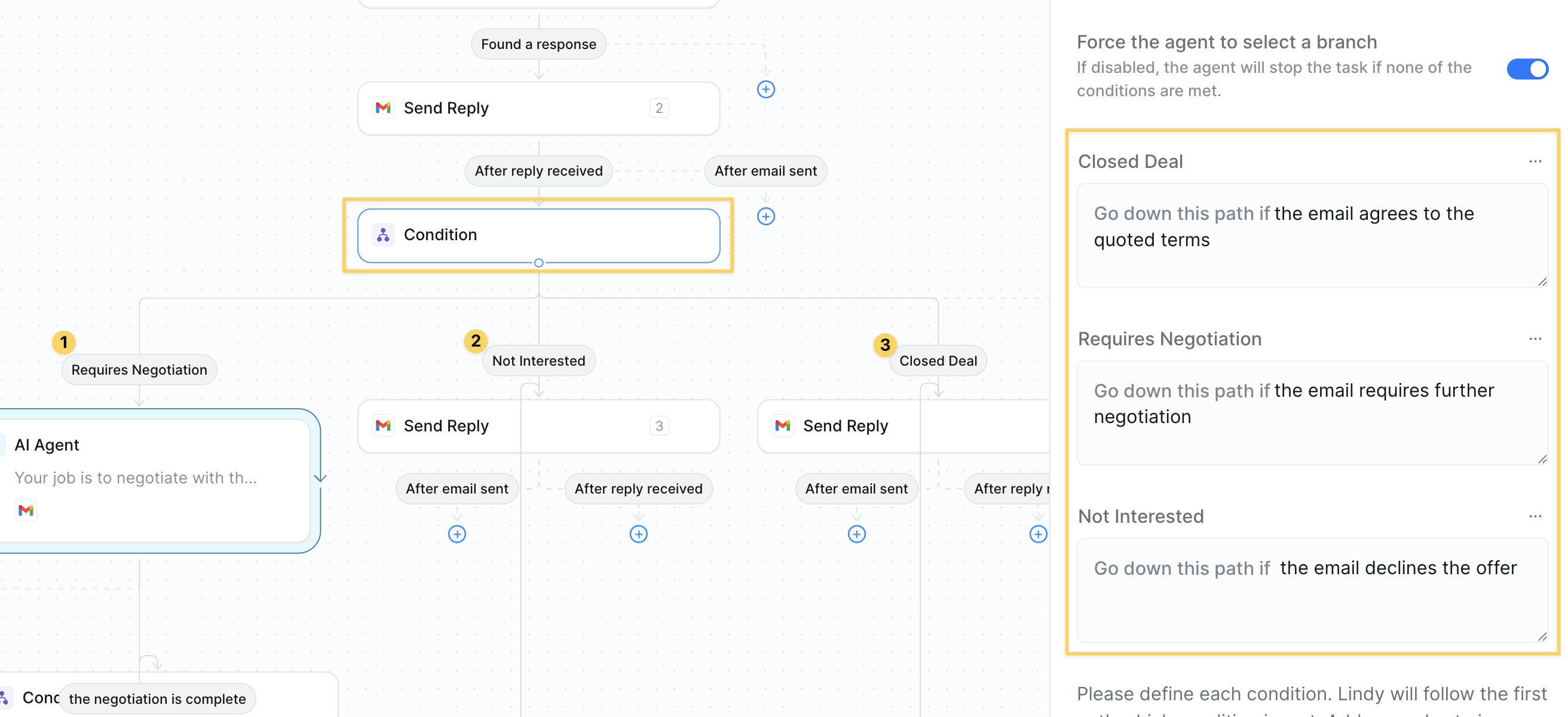 Add a three-way `Condition`:
| Path | Prompt snippet |
| -------------------- | -------------------------------------- |
| Requires Negotiation | the email requires further negotiation |
| Closed Deal | the email agrees to the quoted terms |
| Not Interested | the email declines the offer |
### Step 7: AI Agent for Negotiation
Deploy an AI agent to handle back-and-forth negotiations automatically while staying within your guidelines.
Add a three-way `Condition`:
| Path | Prompt snippet |
| -------------------- | -------------------------------------- |
| Requires Negotiation | the email requires further negotiation |
| Closed Deal | the email agrees to the quoted terms |
| Not Interested | the email declines the offer |
### Step 7: AI Agent for Negotiation
Deploy an AI agent to handle back-and-forth negotiations automatically while staying within your guidelines.
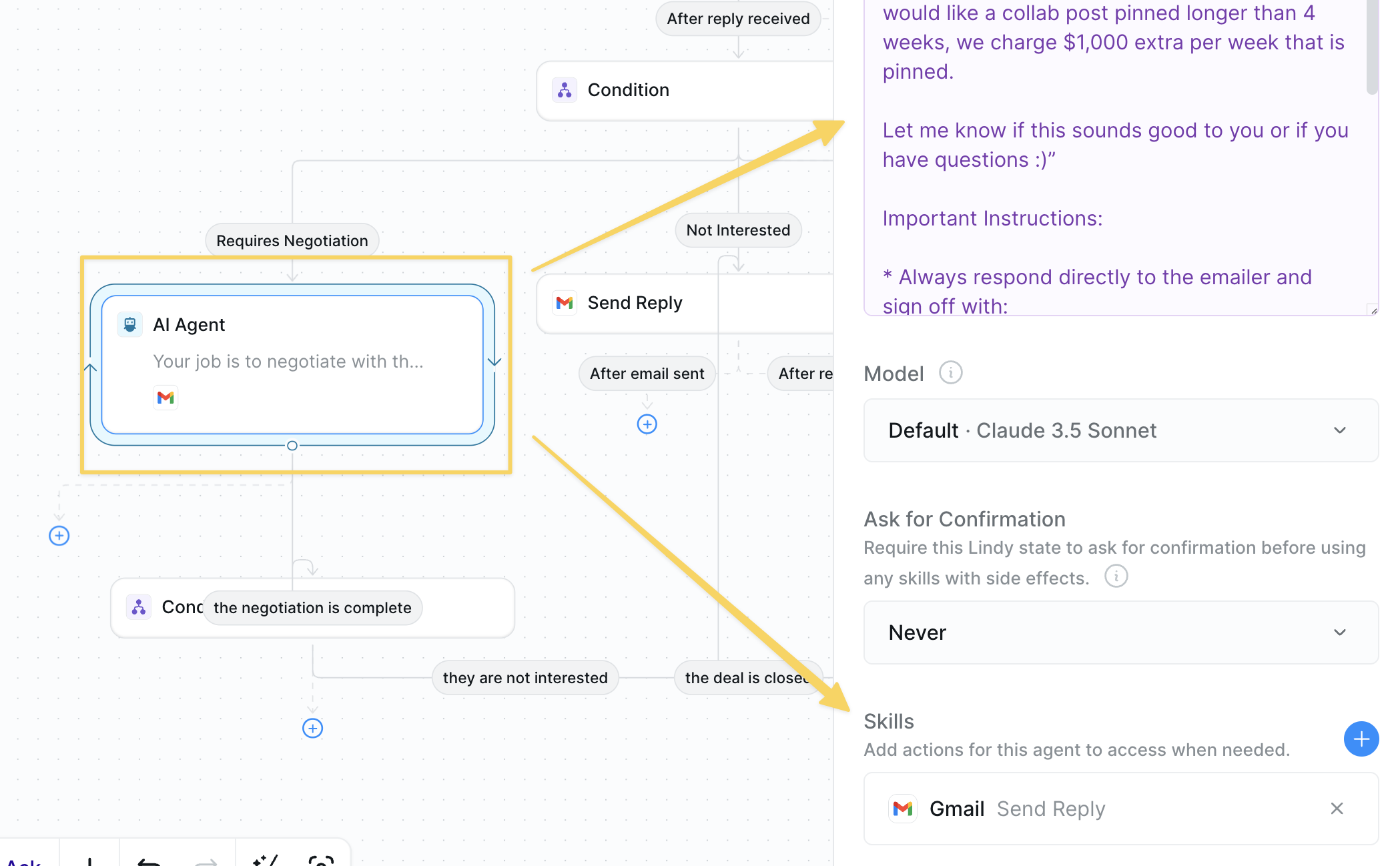 * Under *Requires Negotiation*, insert `AI Agent` with skills: `Gmail – Send Reply`.
* Example prompt:
```
Your job is to negotiate with the emailer and respond to their questions until a decision is made in regard to the partnership opportunity. Only answer questions using answers found from the knowledge base. Here are some example responses to mirror the structure and style of our brand’s tone:
“Hey {FIRSTNAME} – appreciate the interest! We only discount 10% for fall deals, as it is our busiest time for collaborations. Let me know what you decide!”
“Hi {FIRSTNAME}, thanks for the follow-up questions. We typically post on Mondays at 8:00am PST and pin them for 4 weeks. If you would like a collab post pinned longer than 4 weeks, we charge $1,000 extra per week that is pinned.
Let me know if this sounds good to you or if you have questions :)”
Important Instructions:
* Always respond directly to the emailer and sign off with:
“Thanks – Lindy”
* Keep responses 1-2 sentences long, concise and friendly.
* Never make offerings or agree to a deal unless there is content in the knowledge base that supports the partnership details.
```
### Step 8: Close the Loop
Finalize the negotiation outcome after it is complete and send them to the correct path whether or not the deal was closed.
* Under *Requires Negotiation*, insert `AI Agent` with skills: `Gmail – Send Reply`.
* Example prompt:
```
Your job is to negotiate with the emailer and respond to their questions until a decision is made in regard to the partnership opportunity. Only answer questions using answers found from the knowledge base. Here are some example responses to mirror the structure and style of our brand’s tone:
“Hey {FIRSTNAME} – appreciate the interest! We only discount 10% for fall deals, as it is our busiest time for collaborations. Let me know what you decide!”
“Hi {FIRSTNAME}, thanks for the follow-up questions. We typically post on Mondays at 8:00am PST and pin them for 4 weeks. If you would like a collab post pinned longer than 4 weeks, we charge $1,000 extra per week that is pinned.
Let me know if this sounds good to you or if you have questions :)”
Important Instructions:
* Always respond directly to the emailer and sign off with:
“Thanks – Lindy”
* Keep responses 1-2 sentences long, concise and friendly.
* Never make offerings or agree to a deal unless there is content in the knowledge base that supports the partnership details.
```
### Step 8: Close the Loop
Finalize the negotiation outcome after it is complete and send them to the correct path whether or not the deal was closed.
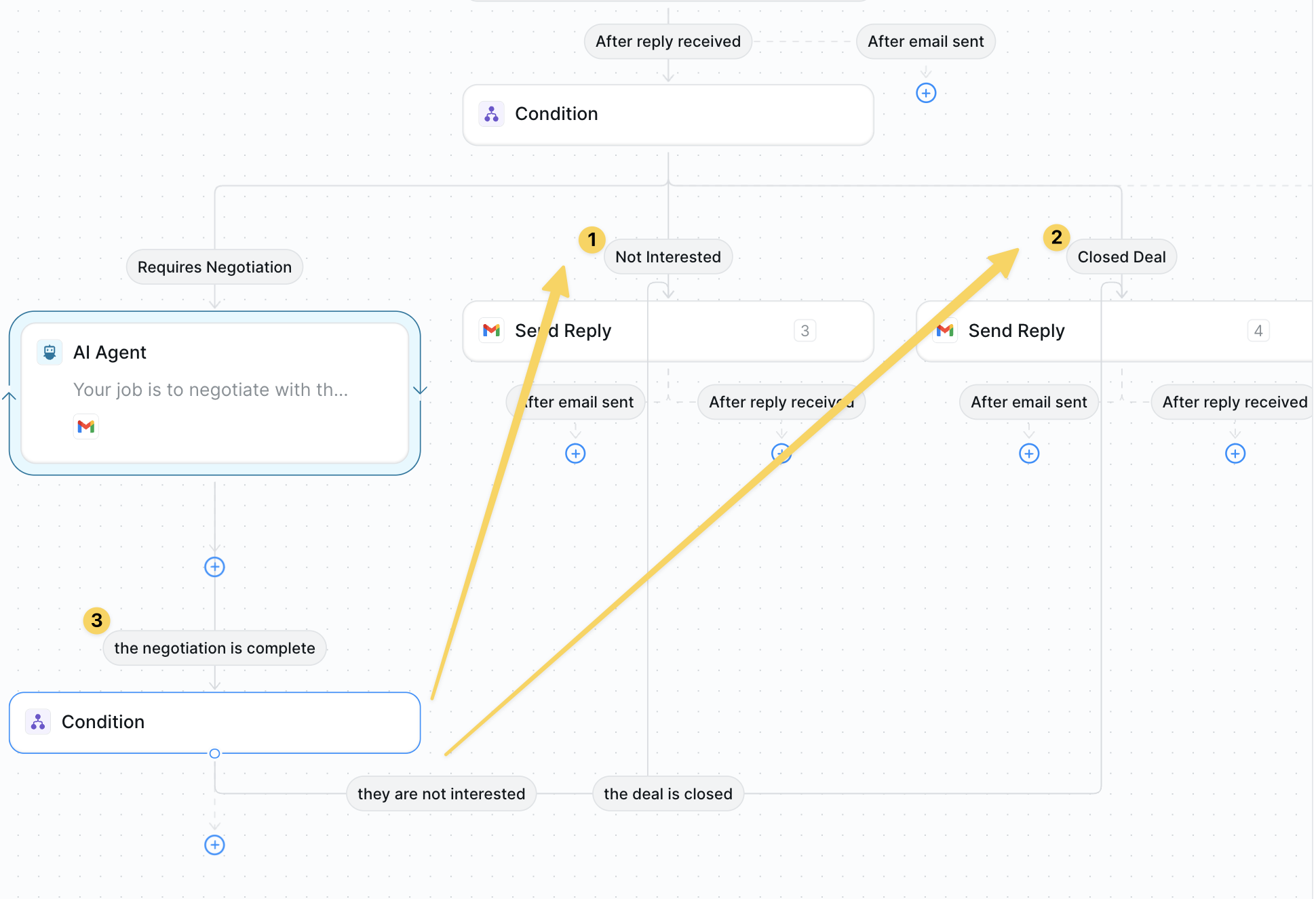 * *Closed Deal* → `Gmail – Send Reply` confirming terms and next steps.
* *Not Interested* → polite thank-you reply.
* Both paths → `Slack – Send DM` to alert your team.
## Advanced Customizations
| Trick | What it does |
| ----------------- | -------------------------------------------------------------------- |
| Dynamic Discount | Offer tiered discounts based on deal size pulled from the email. |
| Sentiment Monitor | Escalate to human if tone becomes negative or urgent. |
| CRM Update | Create/advance opportunities in HubSpot or Salesforce automatically. |
## Best Practices
Refresh rate cards and policies regularly to avoid outdated offers.
Route complex legal or enterprise deals to a rep early.
Include sample emails in the KB so your agent mirrors your brand voice.
## Next Steps
Warm up leads before they inquire
Fill gaps before negotiating
Advanced email automation for negotiations
Add approval steps for deal terms
* *Closed Deal* → `Gmail – Send Reply` confirming terms and next steps.
* *Not Interested* → polite thank-you reply.
* Both paths → `Slack – Send DM` to alert your team.
## Advanced Customizations
| Trick | What it does |
| ----------------- | -------------------------------------------------------------------- |
| Dynamic Discount | Offer tiered discounts based on deal size pulled from the email. |
| Sentiment Monitor | Escalate to human if tone becomes negative or urgent. |
| CRM Update | Create/advance opportunities in HubSpot or Salesforce automatically. |
## Best Practices
Refresh rate cards and policies regularly to avoid outdated offers.
Route complex legal or enterprise deals to a rep early.
Include sample emails in the KB so your agent mirrors your brand voice.
## Next Steps
Warm up leads before they inquire
Fill gaps before negotiating
Advanced email automation for negotiations
Add approval steps for deal terms