

Add Lindy to Slack · 0:50
1. Connect your accounts
If you’re joining an existing team, accept your workspace invitation before signing up.Slack installation steps
Slack installation steps
1
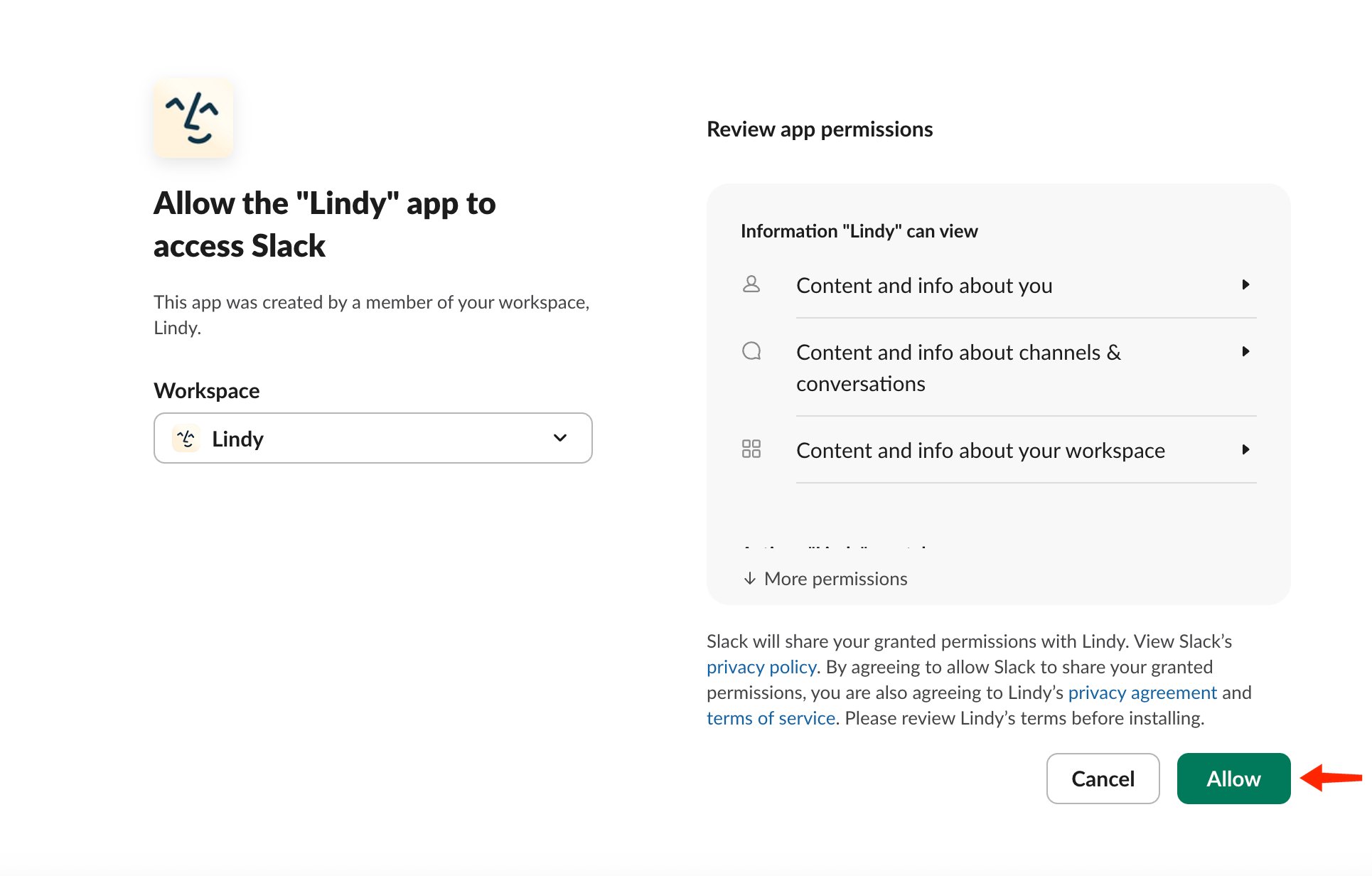
Install Lindy into Slack
Lindy works with free and paid Slack plans.From Lindy (signed in), open Integrations in the left sidebar. Set up Lindy Teammate in Slack sits at the top of the page. Click Install Slack app.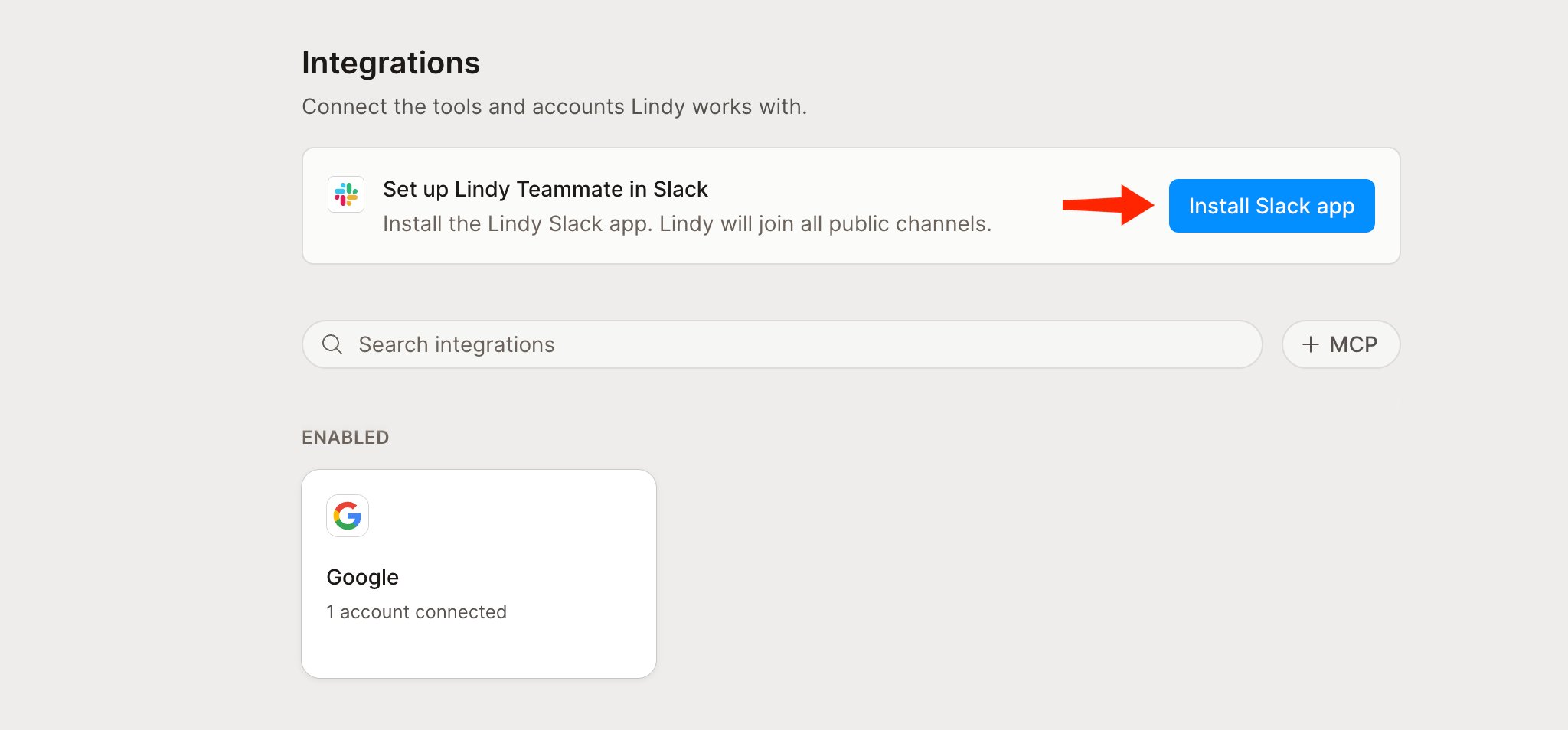
2
Teammates link with one tap
Everyone else links themselves. The first time a teammate DMs or @mentions Lindy, it doesn’t start working yet, it sends one DM with a Connect Slack to Lindy button. They tap it, confirm while signed into Lindy, and their Slack identity is bound to their Lindy account. The message they sent is replayed automatically once they’re linked, so nothing is lost.
2. Invite your team
An owner or admin clicks Invite colleague, or opens Settings → Members and groups → Add member. Enter your colleagues’ email addresses, choose their roles and plans, and click Send invite. Each person accepts their invitation and connects their own accounts. See Team Setup for the full invitation and onboarding steps.3. Connect your tools
Open Integrations and connect the CRM, file storage, project tracker, and other apps Lindy needs for your work. Personal connections are available to you. Owners and admins can share connections with the workspace so the team can use them. A shared connection uses the connected account’s permissions. See Integrations for connection settings and sharing.4. Give Lindy a task
Ask privately through iMessage, email, or Slack, or @mention Lindy in a shared channel. Start with work you want finished:- “Prepare a brief for tomorrow’s client meeting using our previous calls and emails.”
- “Turn this week’s sales calls into a report and update the CRM with next steps.”
Find Lindy and DM it
Press ⌘ + K (Ctrl + K on Windows) to open Slack search, type Lindy, and select Lindy · App. That opens your DM with Lindy. Anything you share there stays between you and Lindy.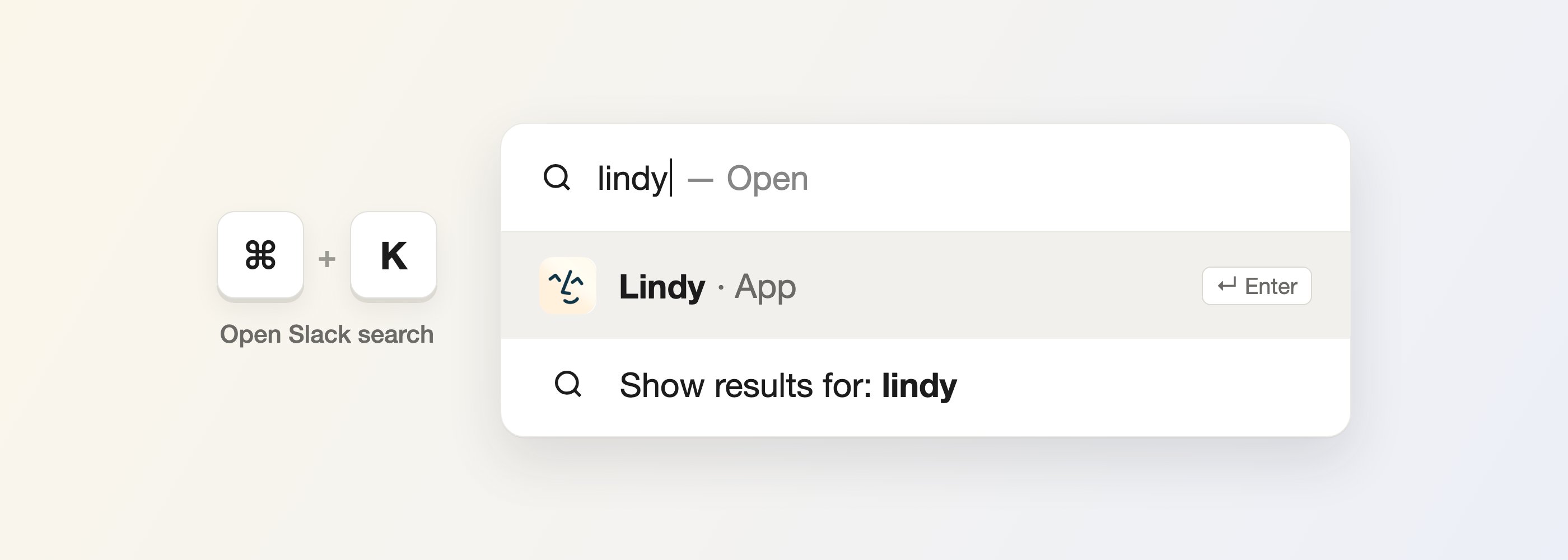
Where Lindy replies
- DM the bot to start or continue your own rolling task. Replies come back in the DM.
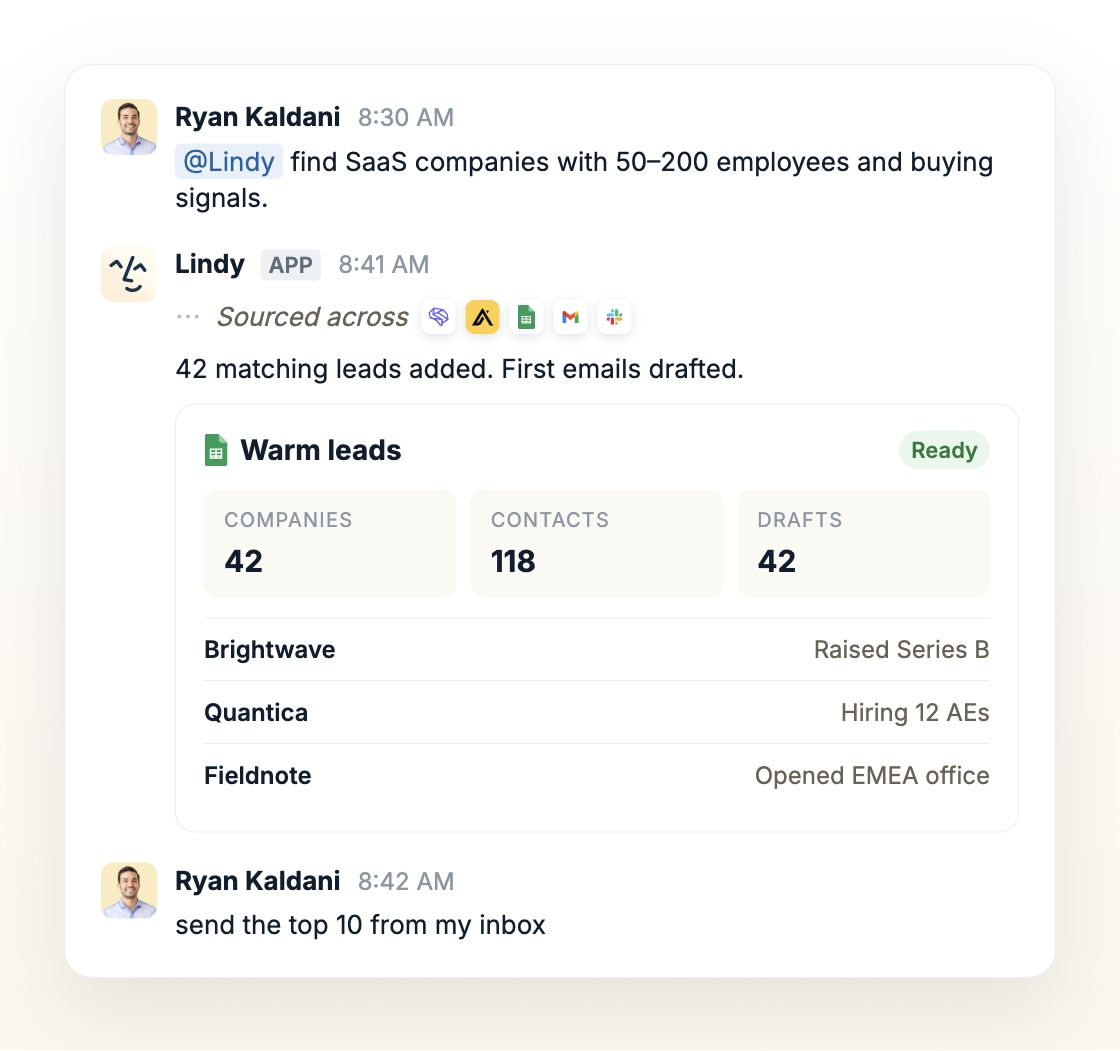
- @mention Lindy in a channel or thread and it replies inside that thread, never as a new top-level message. Invite the bot to the channel first if it isn’t there. Once it’s replied, a clear follow-up can continue the thread without re-@mentioning.
- Auto-join: the bot can join public channels when linked teammates join, and leave when the last one does. This is configurable.
What Lindy can do
- In shared channels and threads: web search, image generation, public Slack search, and Notion (if your team has connected it). Lindy keeps answers public-safe: it summarizes rather than pasting private data into a public channel.
- In your DMs and your own threads: the full toolset, including calendar scheduling, email, SMS, reminders, and meeting reads.
- Extras: private summaries when you’re pulled into a long thread, and follow-up nudges for asks that haven’t gotten a reply.
Guardrails and approvals
Choose which changes Lindy can make automatically and which need your approval in shared Slack threads. Manage these settings in Integrations.Relevant Docs
Home
Where you talk to Lindy and see what it’s done
Pricing
Seats, credits, and the shared pool