

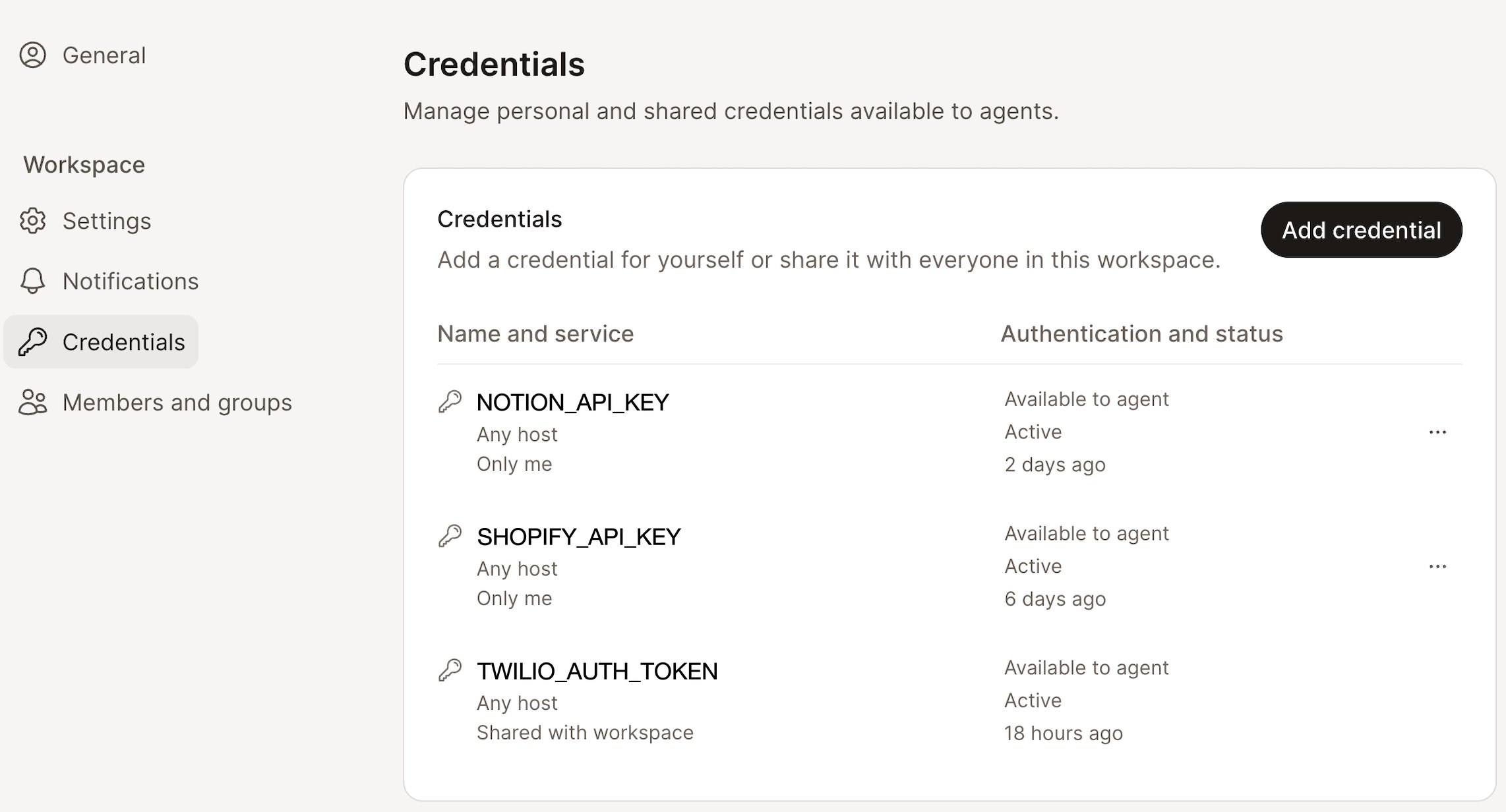
Adding a credential
1
Open Credentials
Go to Settings, then Credentials under Workspace.
2
Add a new credential
Click Add credential, then fill in the name and the value.
3
Save
The credential is available to your agents right away.
SCREAMING_SNAKE_CASE:
Reading the list
Each row tells you two things: what the credential is, and whether it’s working.
A rotated credential is easy to spot: its updated time moves, its name doesn’t.
Rotating and sharing
Open the … menu on any credential row.
What Lindy shows you, and what it doesn’t
A saved credential’s value is write-only. You can see that a credential exists, what it’s called, who it’s shared with, and when it was last updated. You cannot read the value back: not in the app, not through the API, not by asking Lindy.Credentials and integrations
Credentials and integrations solve the same problem from different ends.
If the tool you want is already in the integrations list, connect it there. Reach for a credential when the thing you’re calling has no integration of its own.