

Lindy, Inside Gmail
Open Gmail and Lindy is already working. Your inbox is triaged with color-coded labels, a morning brief tells you what happened overnight, and every email that needs a response has a draft waiting. Everything’s written in your voice and ready to send in one click.Your personal Lindy — the extension works your own inbox, in your own voice. Nothing here is shared with your team. The Lindy your team shares lives in Slack channels.
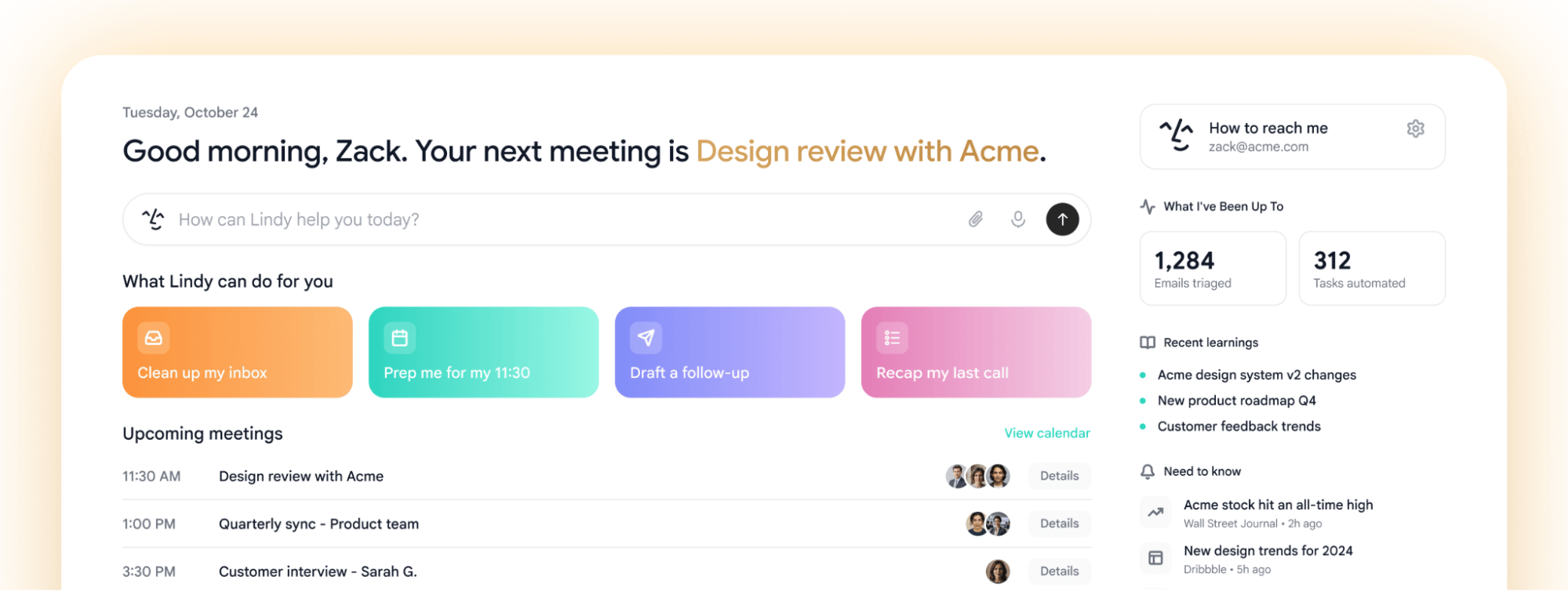
The Chrome extension is currently Gmail only. Outlook is coming soon.
Installing the Extension
1
Add Lindy to Chrome
Install the Lindy extension from the Chrome Web Store and pin it to your toolbar.
2
Open Gmail
Head to your Gmail tab. Lindy loads automatically inside the inbox.
3
Connect your account
Sign in with the Lindy account you use at chat.lindy.ai. Your settings, labels, and drafting instructions carry over.
What You Get
Triage labels
Every email is sorted and tagged with color-coded label pills before you open your inbox.
Morning brief
A daily card at the top of Gmail recaps what Lindy handled overnight.
Draft replies
Pre-written responses in your voice, with quick-action buttons to send in one click.
Compose bar
Rewrite, schedule, or ask Lindy anything right from the reply window.
Label learning
Lindy learns from how you re-label emails and gets better over time.
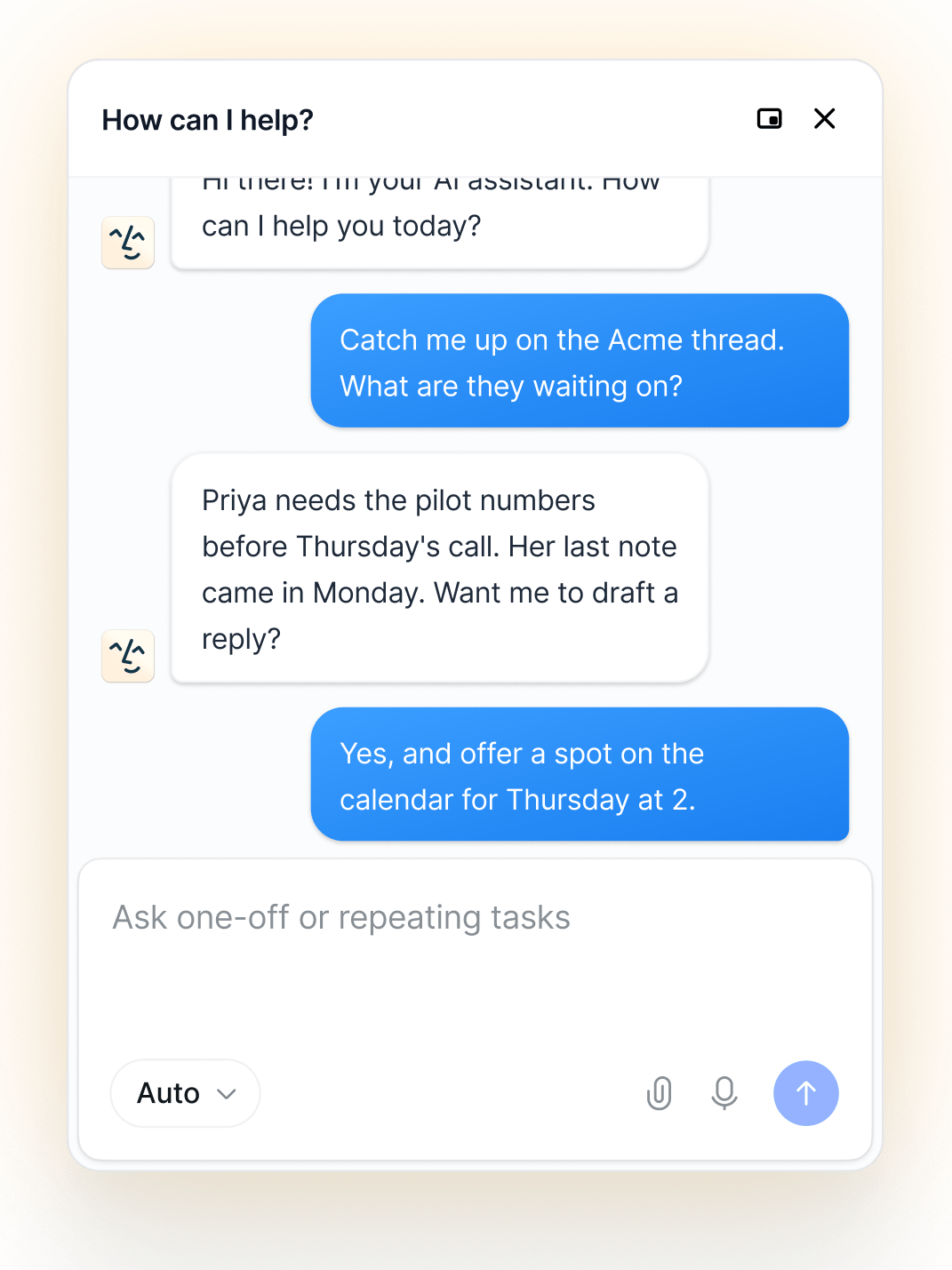
Sidebar chat
A floating or docked panel to chat with Lindy without leaving Gmail.
Triage Labels
Lindy reads every incoming email and assigns it to the right category, shown as color-coded label pills right in your inbox list. Important messages stay front and center. Everything else gets filed away.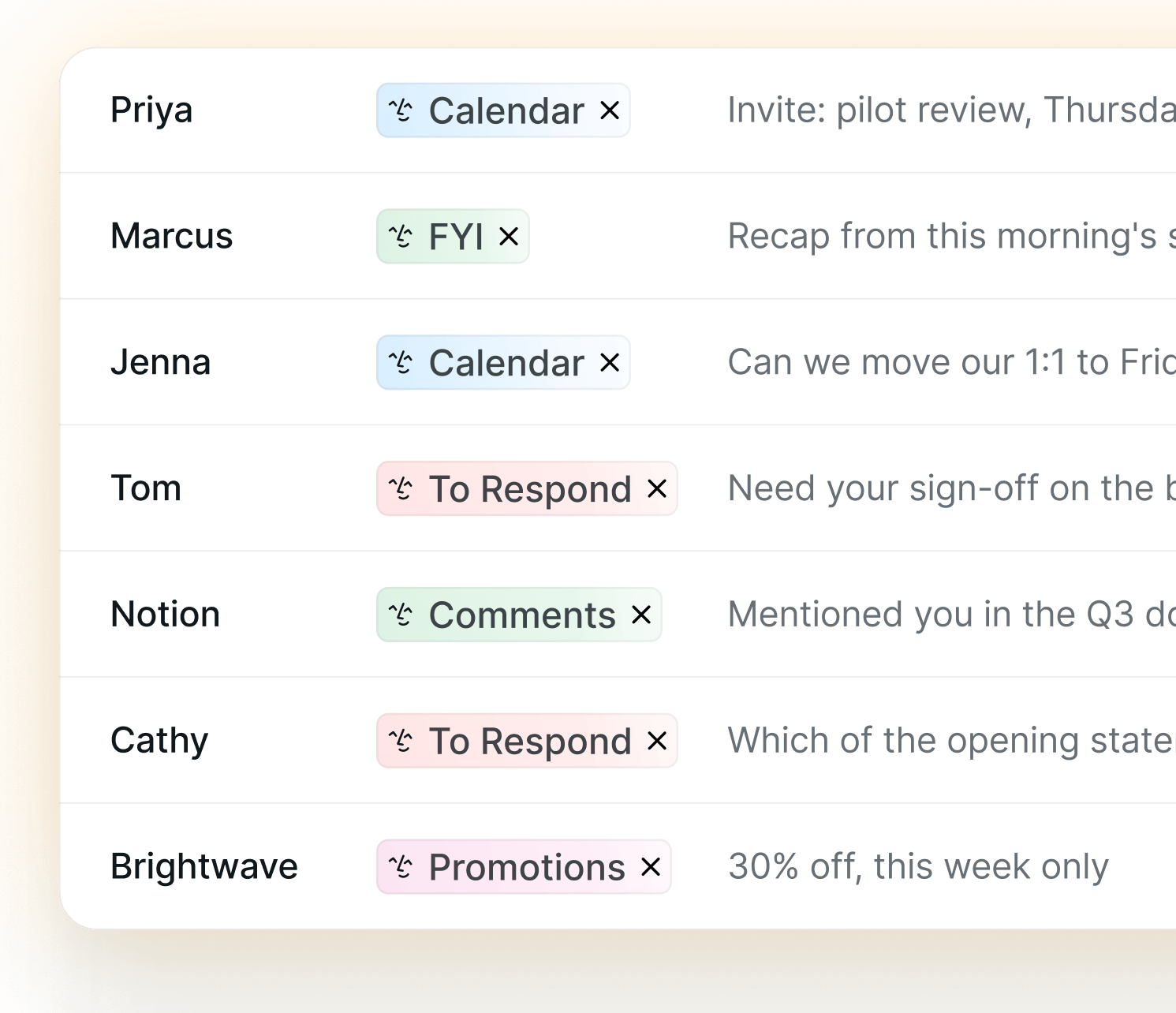
Draft Replies
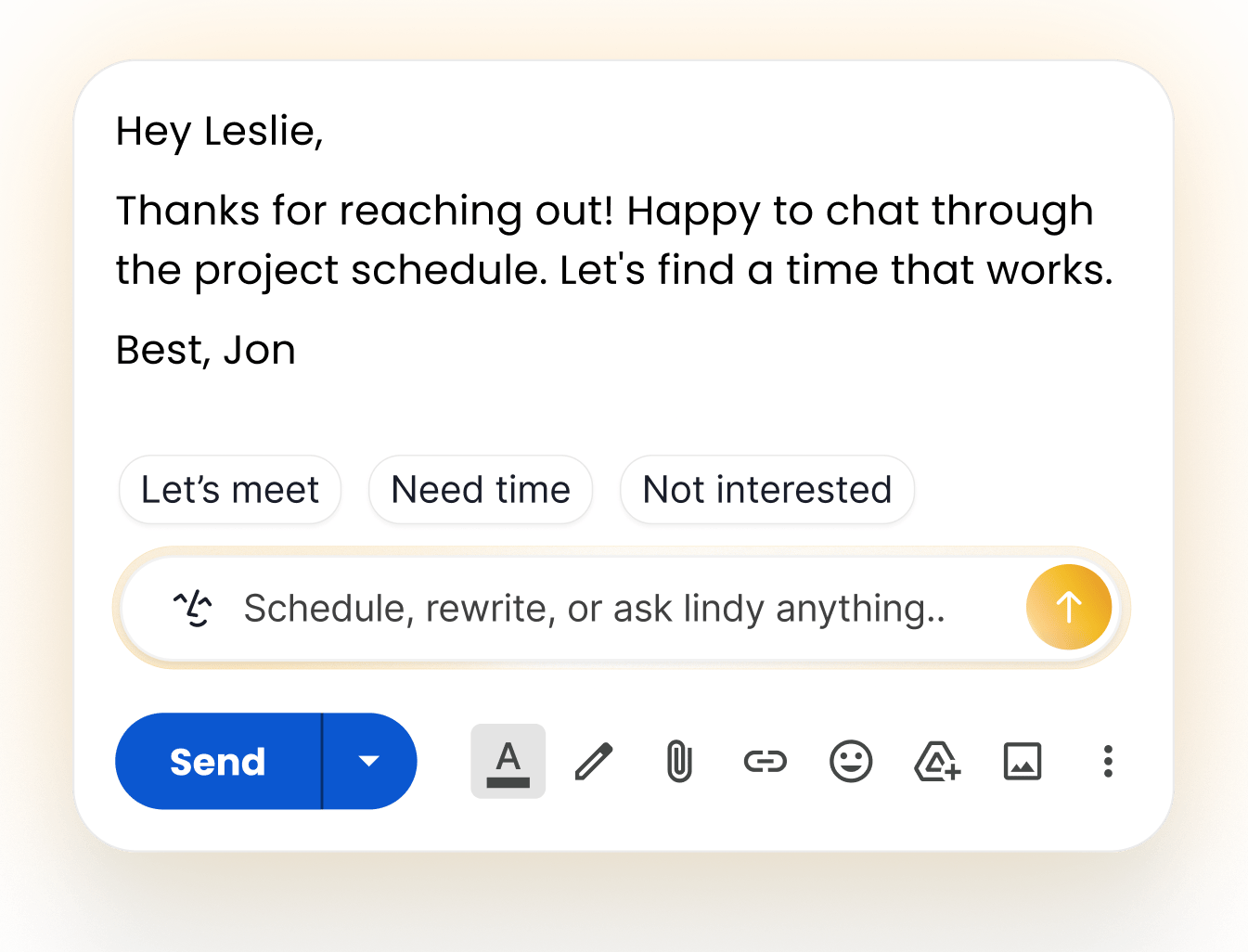
Lindy drafts replies automatically, even if you don’t have the Chrome extension installed. Open an email that needs a response, and your draft is already there, written in your voice. The Chrome extension lets you refine that draft without leaving Gmail. Use Quick actions like Let’s meet, Need time, or Not interested, or simply ask Lindy to make changes. The draft updates instantly, right where you’re working. Review, edit, or send - nothing is ever sent without your approval.Drafting works with or without the Chrome extension. The extension simply makes editing faster by letting you adjust tone, choose a quick action, or request changes directly inside the draft.
Compose Bar
Lindy replaces Gmail’s “Help me write” compose tool with an input that actually knows your context. From the reply window you can:- Rewrite: reshape a draft to be shorter, warmer, or more direct
- Schedule: turn an email thread into a meeting
- Ask anything: type a request and Lindy handles it inline

Label Learning
When you re-label an email, Lindy notices. A toast confirms it learned from the change (“Lindy learnt from your label”), and future emails get sorted accordingly. Teach Lindy once, and it remembers.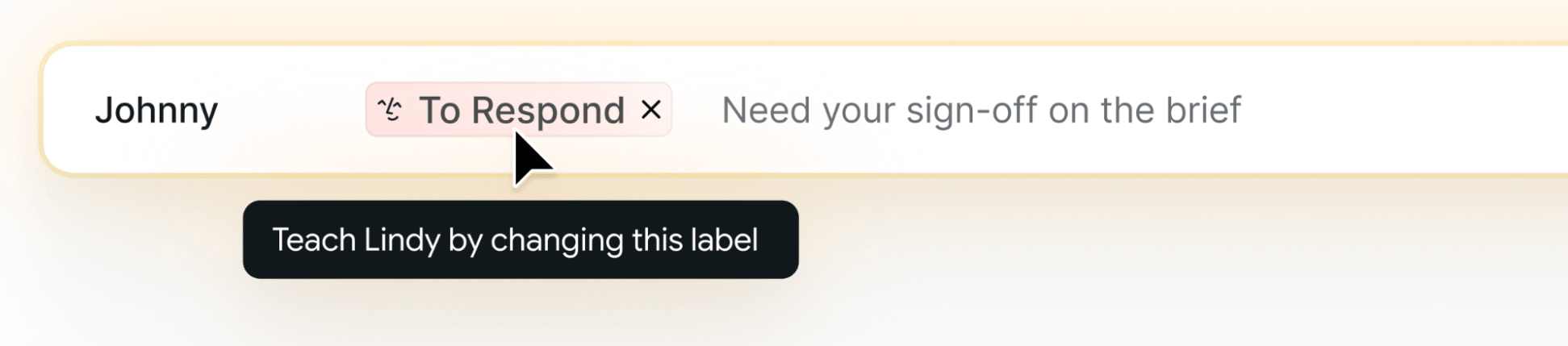
Sidebar Chat
A Lindy chat panel lives inside Gmail, floating or docked to the side. Ask Lindy anything without switching tabs. The sidebar supports:- Voice input: speak instead of type
- File attachments: bring in documents for Lindy to work with
- Model selector: choose the model behind your chat
Security
Lindy is SOC 2 Type II, GDPR, and HIPAA compliant. See Security for details on how your data is handled.Next Steps
Email Triage
How Lindy organizes and labels your inbox
Email Drafting
How Lindy drafts replies in your voice