

Documentation Index
Fetch the complete documentation index at: https://docs.lindy.ai/llms.txt
Use this file to discover all available pages before exploring further.
Add Lindy to Your Slack Workspace
Get started in minutes — no code required.Installation Steps
Create a Lindy Account
Visit chat.lindy.ai/signup to create your free account.
Connect Slack
In the Lindy dashboard, navigate to Integrations and click “Connect Slack”. Authorize Lindy to access your workspace.
Configure Your Bot
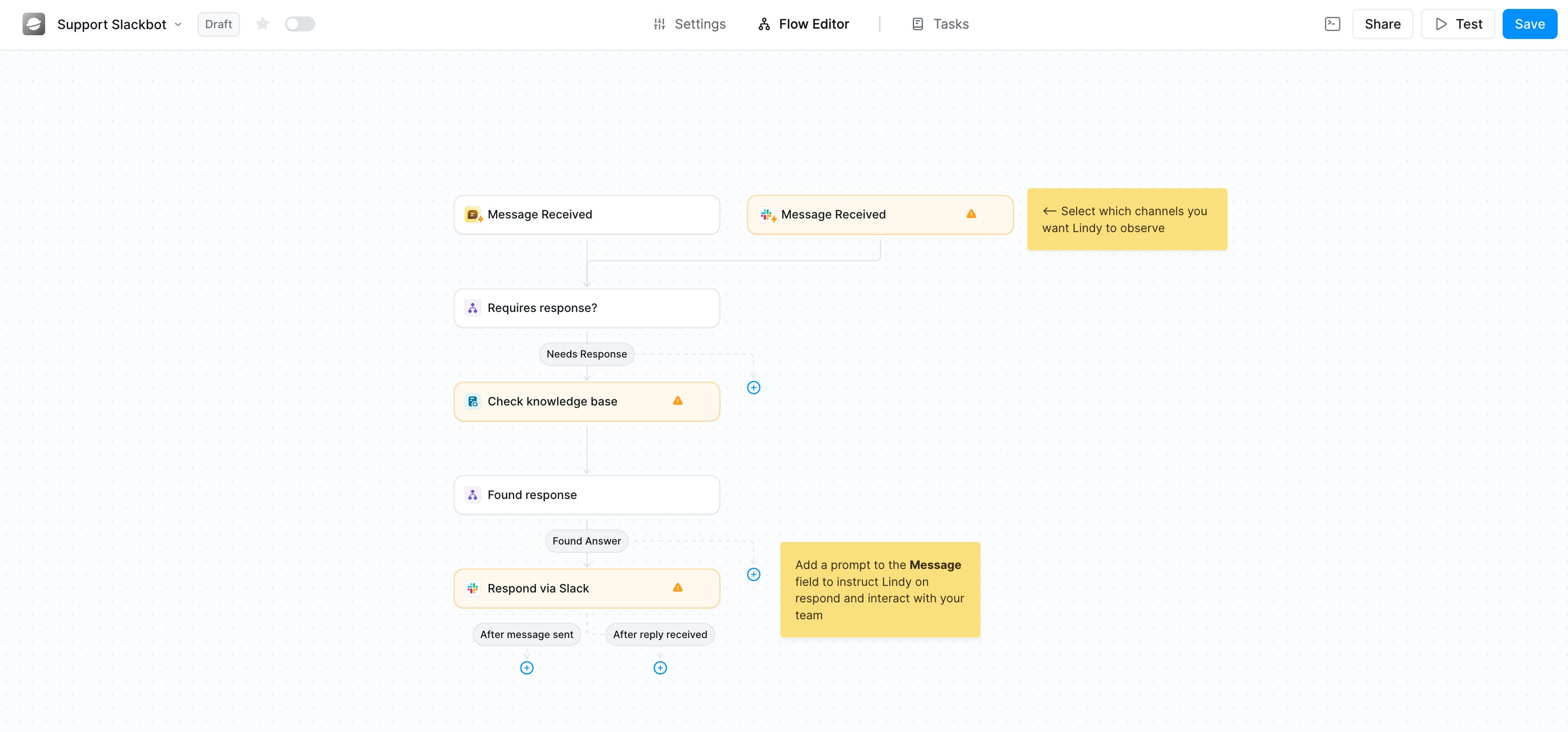
Choose which channels to monitor, set up filters, and connect your knowledge base.
What Can Lindy Do in Slack?
- Answer team questions instantly using your internal documents and knowledge base
- Automate customer support by routing and responding to inquiries
- Send smart notifications from your CRM, calendar, or other tools
- Summarize conversations and extract action items
- Route messages to the right team members based on content
Common Use Cases
Internal Knowledge Bot
Answer employee questions about policies, procedures, and company information using your HR documents, handbooks, and wikis.Customer Support Assistant
Respond to customer inquiries in shared Slack channels, pulling information from your help docs and FAQ.Sales Alert System
Get instant notifications when new leads arrive, deals close, or important CRM events occur.Meeting Notes Distribution
Automatically share meeting summaries and action items to relevant channels after calls end.Need Help?
We’re here to support you every step of the way.Documentation
Comprehensive guides for setup and configuration.
Community
Join thousands of Lindy users sharing tips, templates, and best practices.
Email Support
support@lindy.aiOur team typically responds within 24 hours on business days.
Live Chat
Chat with our support team directly on lindy.ai during business hours.
Contact Us
Having trouble? Reach out:- Email: support@lindy.ai
- Community: Join our community
Security & Compliance
- SOC 2 Type II Certified — audited by Johanson Group
- HIPAA Compliant — approved for use with protected health information
- GDPR & PIPEDA Compliant — meets EU and Canadian privacy standards
Ready to Get Started?
Add Lindy to Slack
Create your free account and connect Slack in minutes. No credit card required.
AI Disclaimer: Lindy uses AI to generate responses based on your knowledge base. AI responses may occasionally be incomplete or inaccurate — we recommend human review for critical topics and using Human in the Loop for high-stakes decisions. Lindy does not use your Slack data to train AI models.