

Personal routine — runs for you alone, in your own Lindy. Your briefing covers the meetings on your calendar. Routines that run for the whole team are Workspace routines.
Never Walk Into a Meeting Blind
Delegate meeting prep to Lindy. Before every call, a briefing lands in your inbox or on your phone with who you’re meeting, what you’ve discussed before, and what’s on the agenda. You don’t have to ask.How to Set It Up
Meeting prep is a built-in routine. On the Routines page, open the Personal tab, find the Meeting prep card (“Gives context on your meetings”), and toggle it on. Click the card to choose which meetings get prep, when you receive it, and its format.What’s Included
You can customize the prep format in your settings at chat.lindy.ai. Look for Meeting prep in the settings panel. Describe your preferred structure, tone, and level of detail in the text field, and Lindy follows your instructions.
Which Meetings Get Prep
- All meetings: every event on your calendar
- External meetings only: skip internal team syncs, focus on client and prospect meetings
When You Receive Prep
To adjust these settings, go to the Routines page, open the Personal tab, and click the Meeting prep card. Set the time in the Timing field.
- Daily digest: receive all meeting prep at a set time each day (e.g., 5:00 AM)
- Before each meeting: receive prep a set number of minutes before the meeting starts (e.g., 15 minutes before)
How You Receive Prep
- Email: lands in your inbox
- SMS / iMessage: sent directly to your phone
To change how you’re notified, go to the Routines page, open the Personal tab, and click the Meeting prep card. Pick where prep lands in the Delivery channel field.
Customize Your Prep Format
You can write a custom prompt to control exactly how your meeting prep is written — including the tone, structure, and level of detail.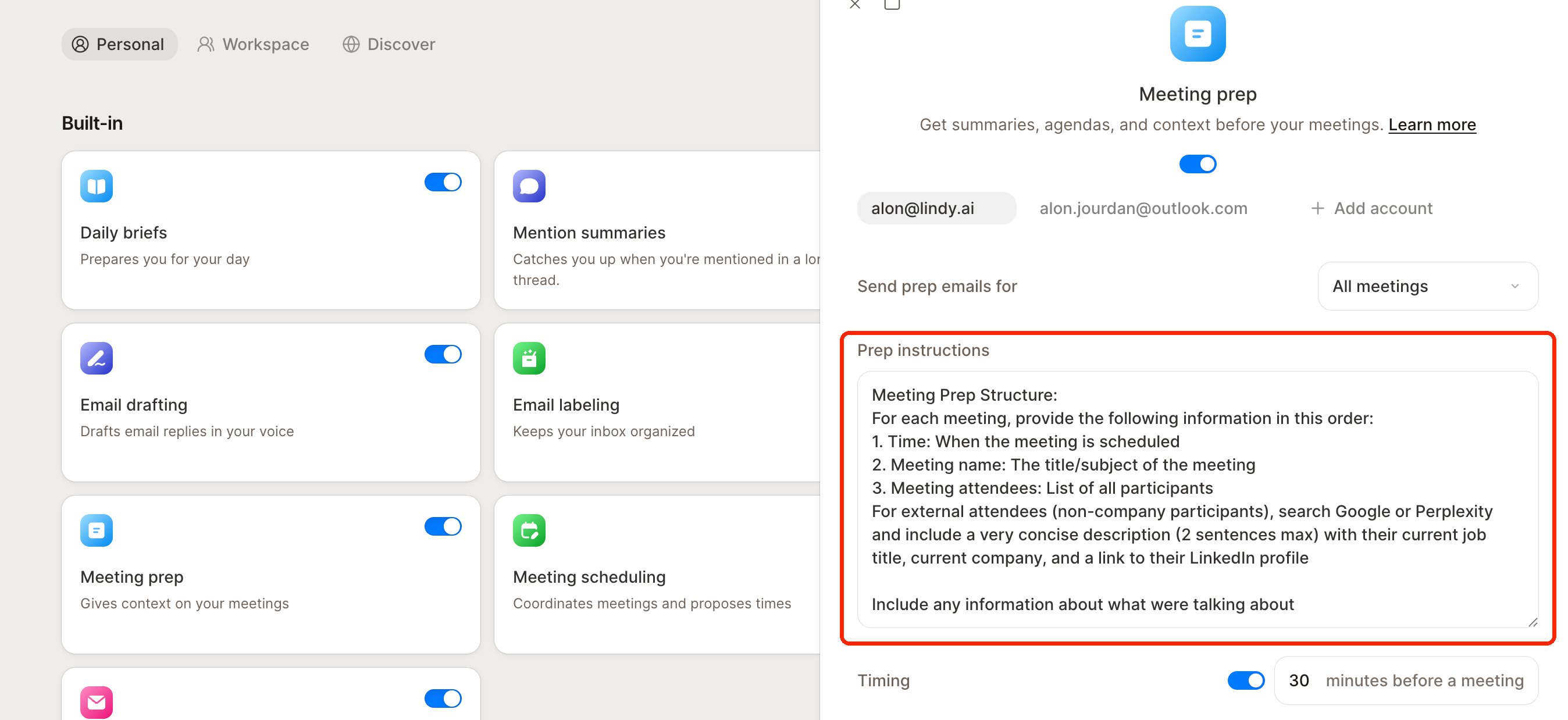
Next Steps
Meetings
How Lindy records and summarizes your meetings
Daily Brief
A morning brief on your day and meetings