

Personal routine — runs for you alone, in your own Lindy. It tracks the mail you sent, not your team’s. Routines that run for the whole team are Workspace routines.
Chase the Replies You’re Owed
Follow-up bumps is a built-in routine that tracks the emails you’ve sent and, if one gets no reply, drafts a bump for you to review. You keep the final say before anything sends.Before you start
- A connected Gmail or Outlook inbox.
- A plan with Assistant features.
- Not turned off by your workspace admin. If it is, the card shows Disabled by admin.
Turn it on
1
Open the routine
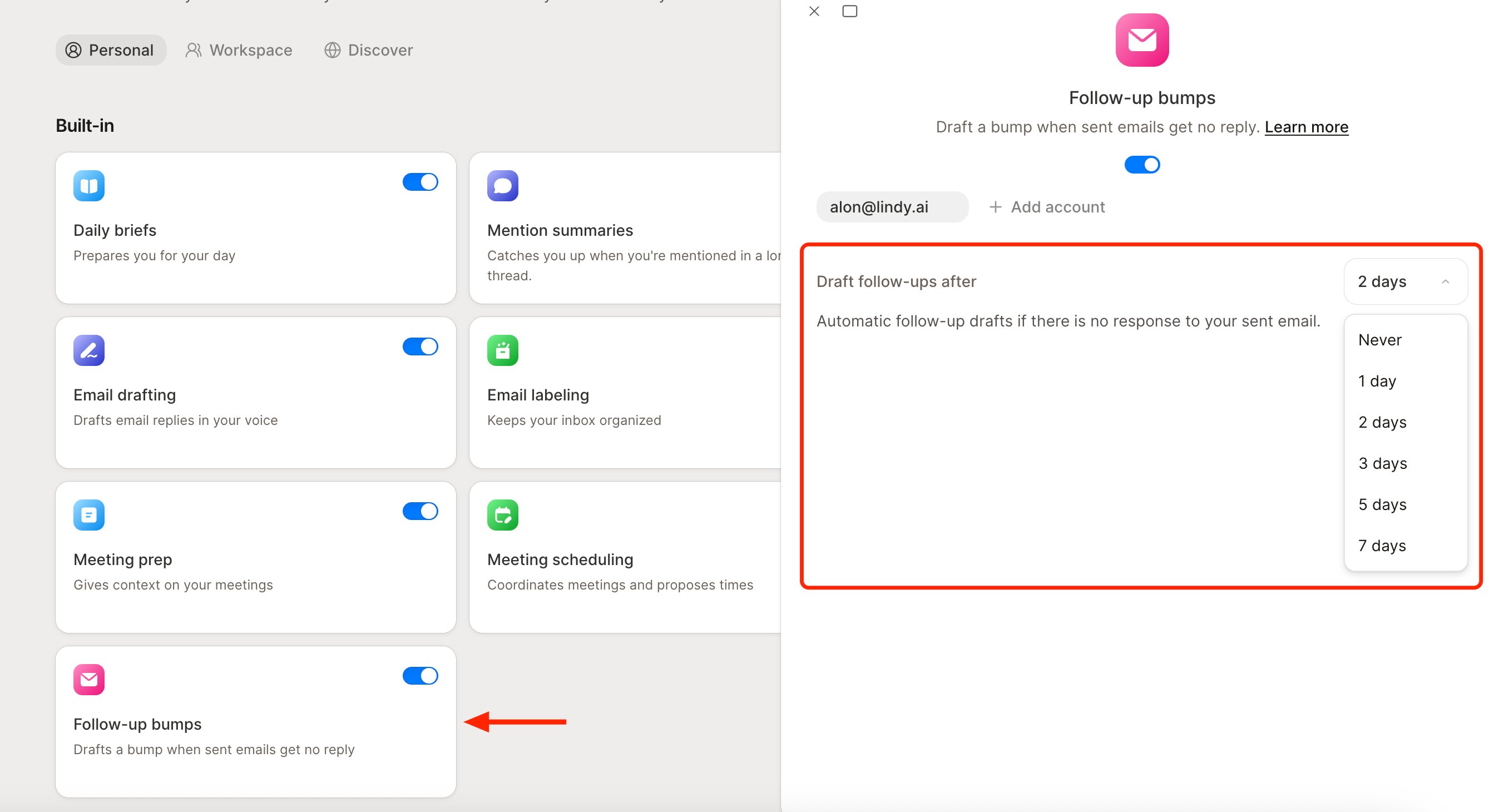
Go to the Routines page. On the Personal tab, find the Follow-up bumps card (“Drafts a bump when sent emails get no reply”) and click it to open its drawer.
2
Flip it on
Use the enable switch. While the routine is off, its settings are greyed out.
Set the timing
Set Draft follow-ups after to Never, 1, 2, 3, 5, or 7 days. If a sent email gets no reply in that window, Lindy drafts a bump and saves it to your drafts for review. This routine is independent of Email drafting, so you can run one without the other.Connect another inbox
At the top of the drawer, each connected inbox shows as a chip, with a + Add account button beside them. Click + Add account, choose Google or Outlook, and follow the prompts to link another inbox. Settings are per-account, so pick the chip first, then set the timing.Next Steps
Email Drafting
How Lindy drafts replies in your voice
Routines
Manage follow-up bumps and your other routines