

Personal routine — runs for you alone, in your own Lindy. Your brief covers your day and your meetings, and only you receive it. Routines that run for the whole team are Workspace routines.
Start Every Day Knowing What Matters
Lindy can send you a daily brief on anything you prompt it to cover. Tell it exactly what you want: your schedule, who you’re meeting, industry news, priorities. It arrives every morning before your day starts, in Slack or as a text on your phone.What You Can Include
Tell Lindy what to cover in your brief. Common topics:- Your schedule: every meeting on your calendar with times and attendees
- Meeting context: who you’re meeting and what you’ve discussed before
- Industry news: headlines and updates relevant to your work
- Priorities: a summary of open tasks, emails, or follow-ups
- Weather: local forecast for the day
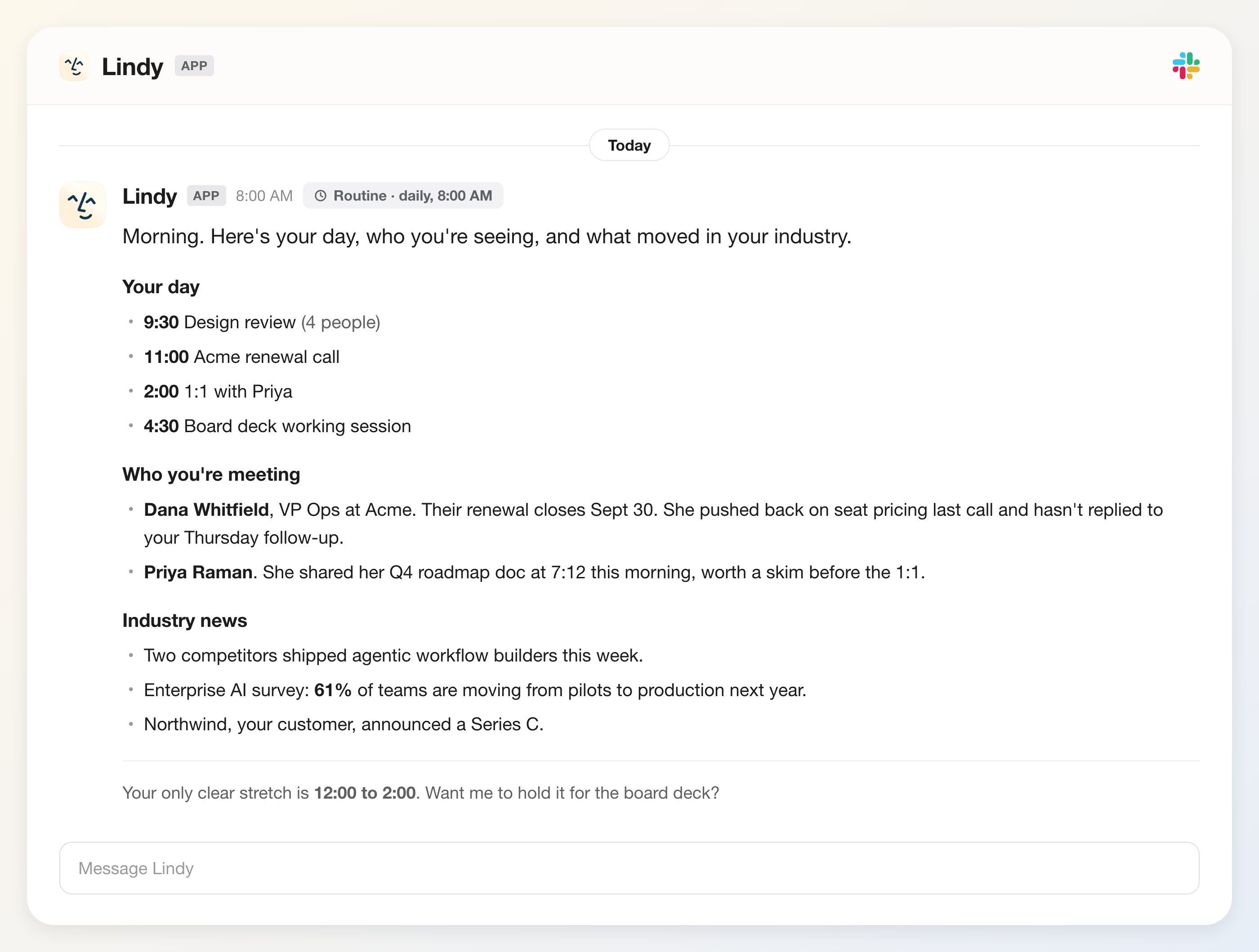
“Brief me about my day, who I’m meeting with, and news regarding my industry.”Lindy reads your calendar, pulls relevant context, and delivers a clean summary without you having to ask.
What It Looks Like
How You Receive It
Lindy delivers your brief at your preferred time each morning: a Slack DM, a text to your phone (SMS / iMessage), or Lindy chat. There’s nothing to check, it just shows up.How to Set It Up
Daily brief is a built-in routine. On the Routines page, open the Personal tab, find the Daily briefs card (“Prepares you for your day”), and toggle it on. Click the card to tune it.1
Write your prompt
Describe what you want Lindy to cover each morning. Be as specific as you like — topics, format, level of detail.
2
Set your time
Choose when Lindy texts you the brief. Most people set it 30–60 minutes after they wake up, so they start the day already on top of what matters.
Next Steps
Meeting Prep
Automatic briefings before each meeting
Meetings
How Lindy records and summarizes your meetings