

Quick Overview
This inbound flow lets Lindy:- Answer calls on a dedicated number
- Gather the caller’s name and question in natural conversation
- Access pre-loaded context for fast, accurate responses
- Respond concisely and close the loop
- Record summaries to Sheets and alert your team in Slack
Setting Up Your Inbound Call Bot
Step 1: Provision a Number
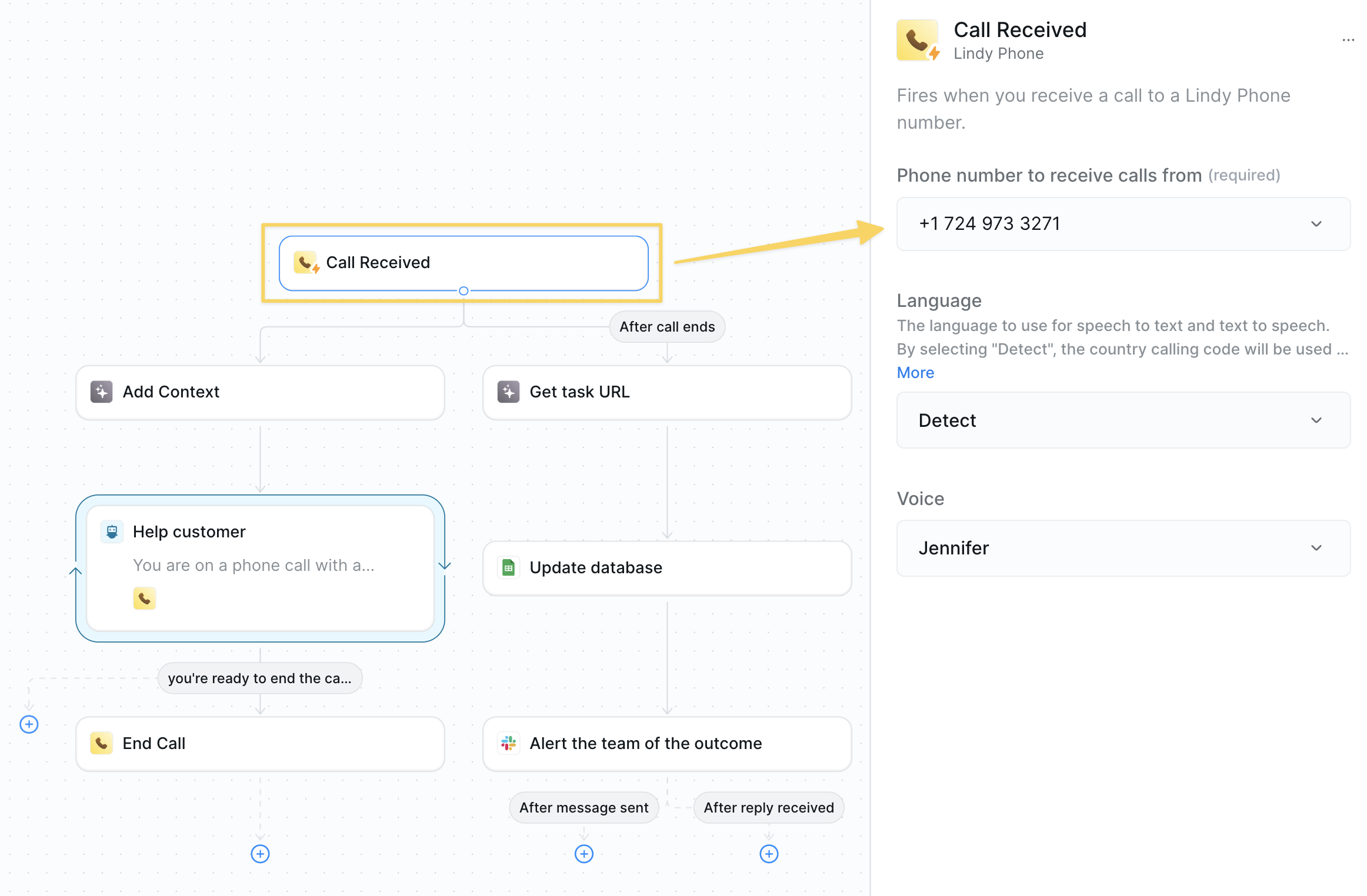
- Click the
Call Receivedtrigger. - Purchase or select a unique Lindy Phone number.
Step 2: Add Context for Support Knowledge
Pre-load your support information to ensure fast response times during calls.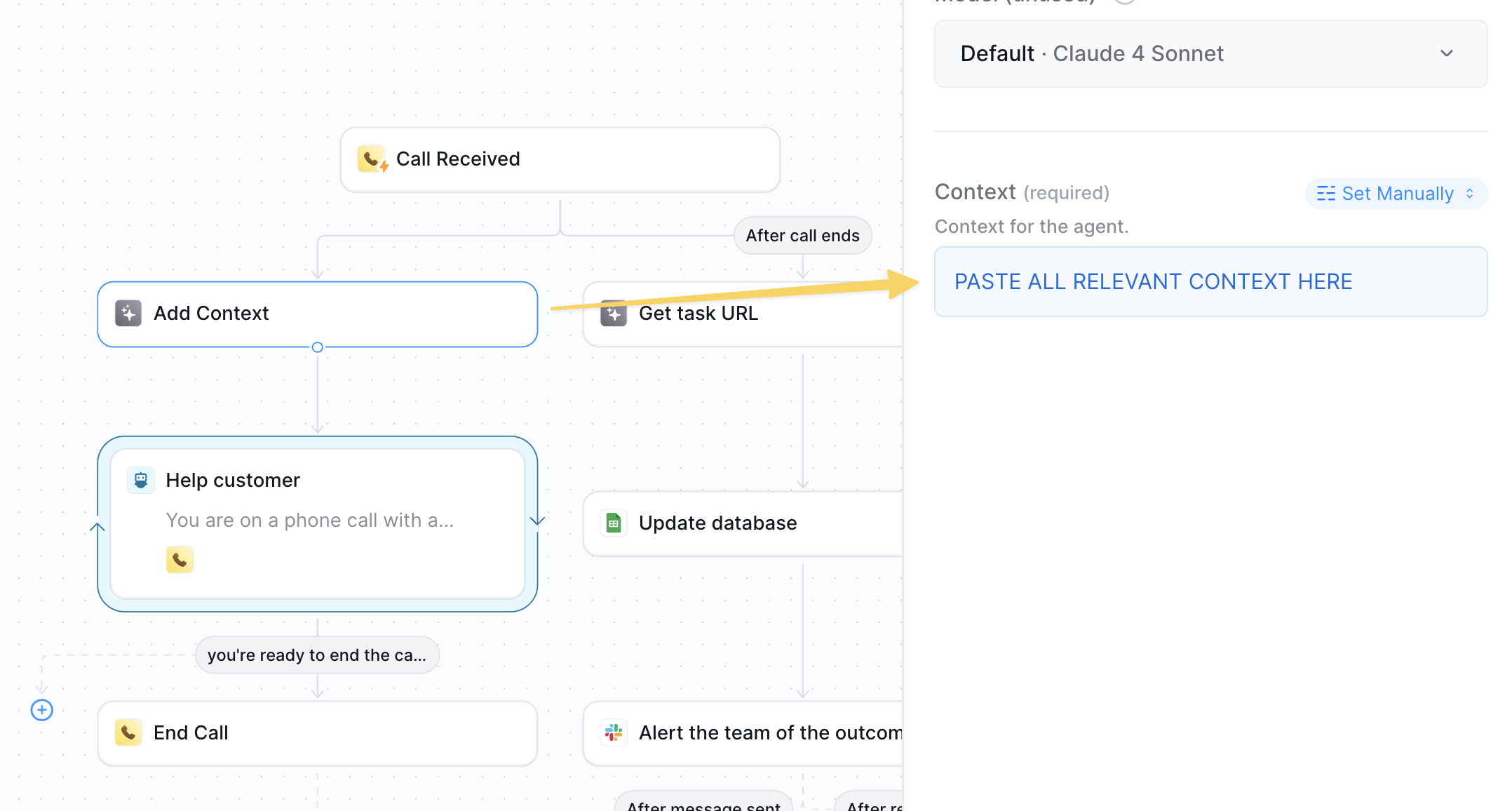
- Action:
Add Context - Upload lightweight company context: FAQs, key policies, common troubleshooting steps
- Keep it concise — this context stays in memory during the entire call for optimal latency
Step 3: Inbound Phone Call Agent
Configure your AI agent to handle the conversation with pre-loaded context.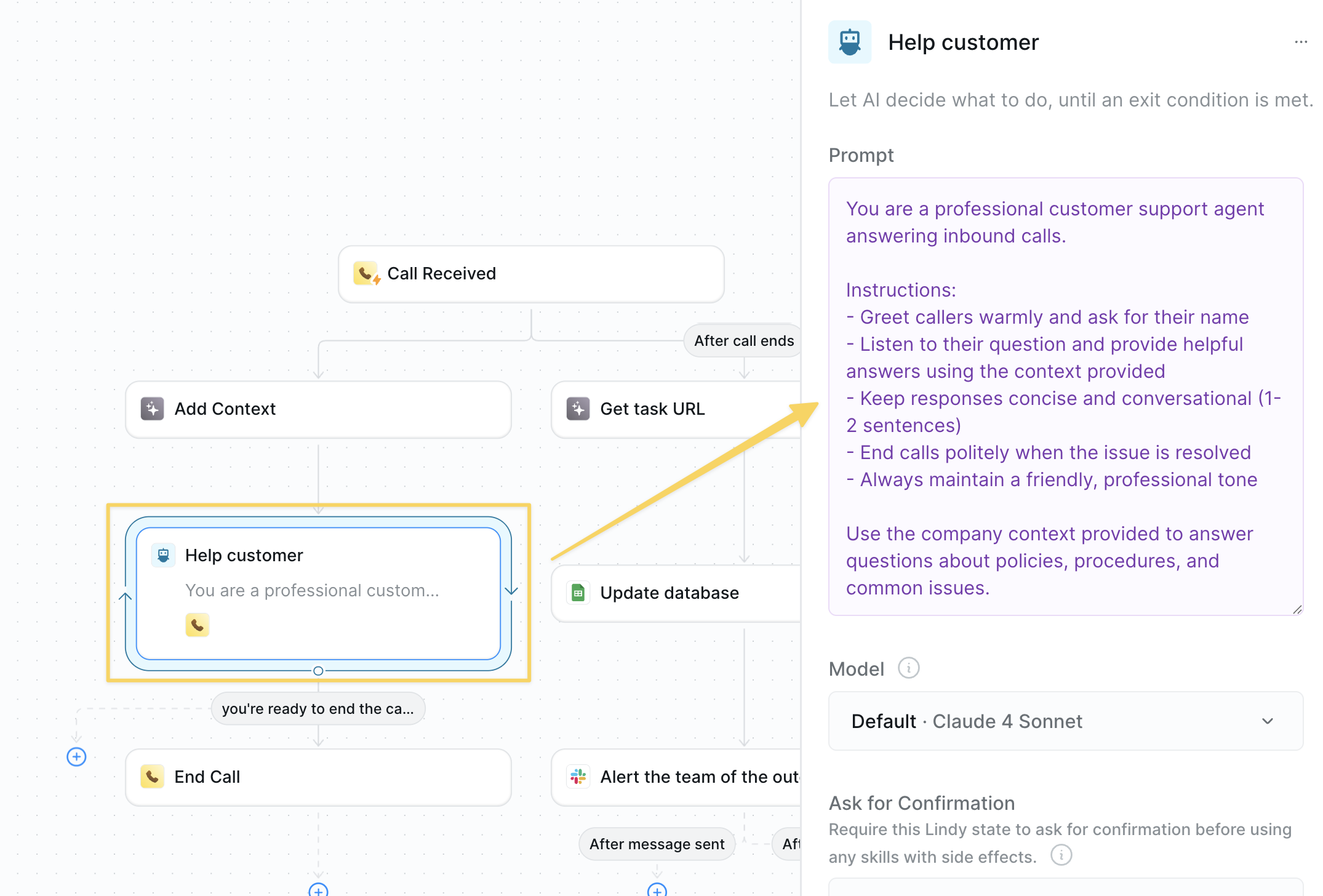
Step 4: Document the Call
Track all phone interactions for quality assurance and follow-up.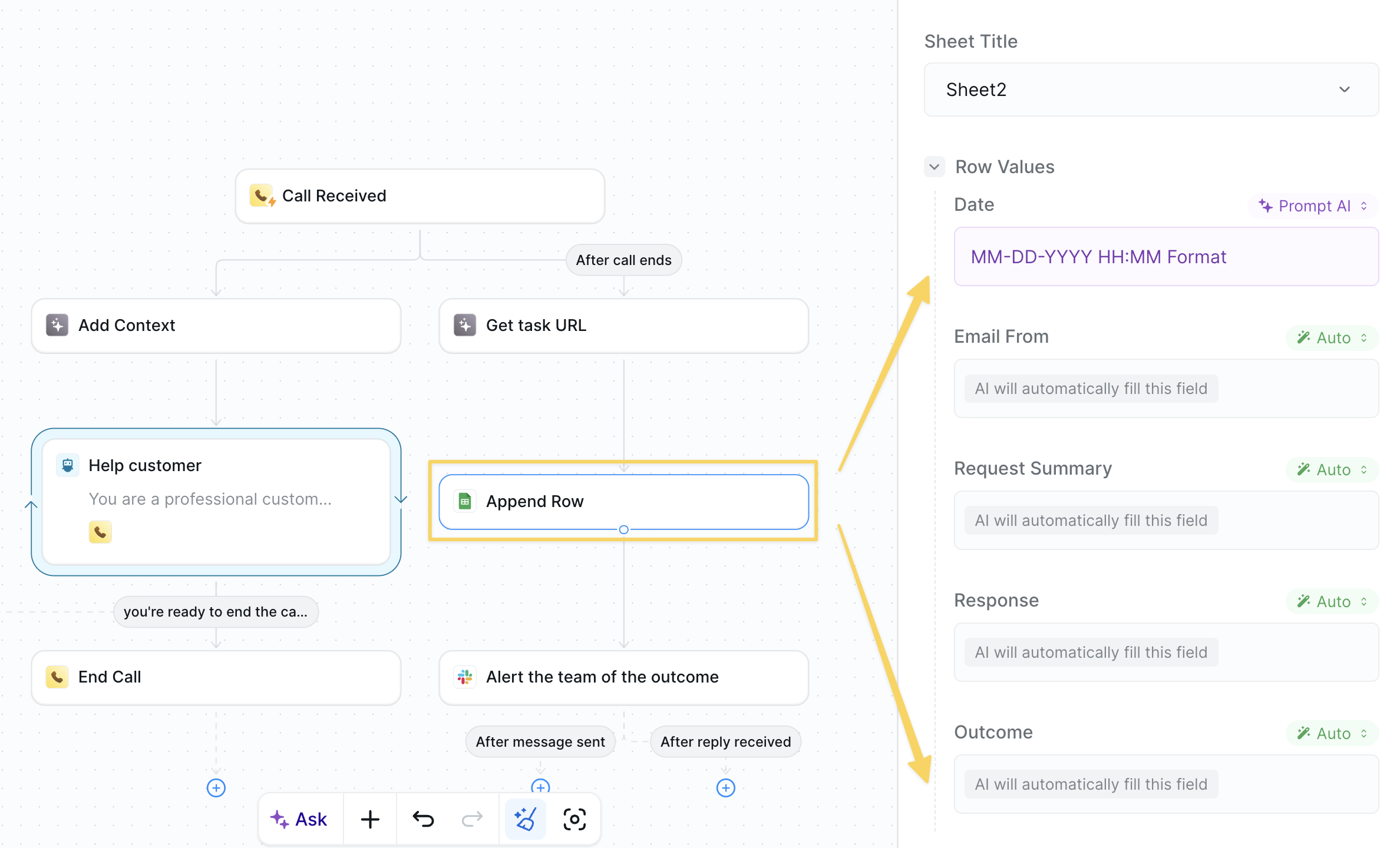
Get Task URL→ store reference link.Google Sheets – Append Rowwith name, question, answer, outcome, URL.
Step 5: Team Alert
Notify your team about the call for immediate follow-up if needed.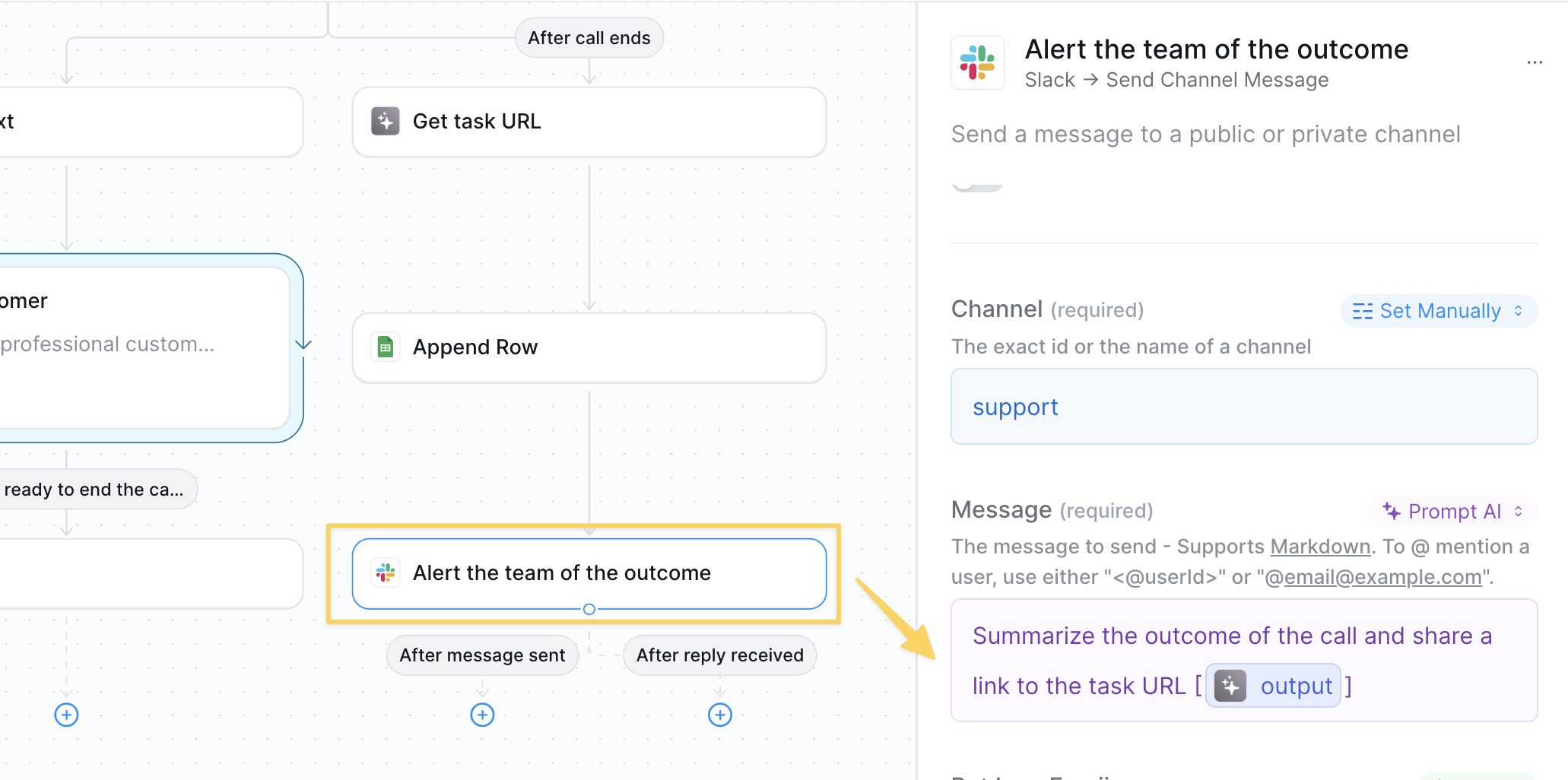
Best Practices
Keep Context Lightweight
Keep Context Lightweight
Pre-load only essential info — too much context can slow down responses.
Keep Replies Short
Keep Replies Short
Callers prefer concise answers; avoid reading long policy text aloud.
Log Everything
Log Everything
Sheet + Slack combo creates an instant audit trail for QA.
Update Context Regularly
Update Context Regularly
Refresh your context monthly to keep answers current and accurate.
Next Steps
Smart Support Agent
Mirror the same logic in your inbox
Phone Calls
Build advanced voice workflows
Report Generator
Generate insights from call data
Knowledge Base
Store call scripts and FAQs