

Quick Overview
With the Smart Support flow, your agent will:- Monitor a support inbox (Gmail, Outlook—or swap in Help Desk APIs)
- Detect whether the message needs a knowledge-base reply or human help
- Search your docs, FAQs, and policies for accurate answers
- Respond in your brand voice or draft a reply for approval
- Log tickets and escalations to Slack, Zendesk, or HubSpot
Start from the email responder template and tweak as below.
Setting Up Your Smart Support Agent
Step 1: Connect the Trigger to Support Inbox
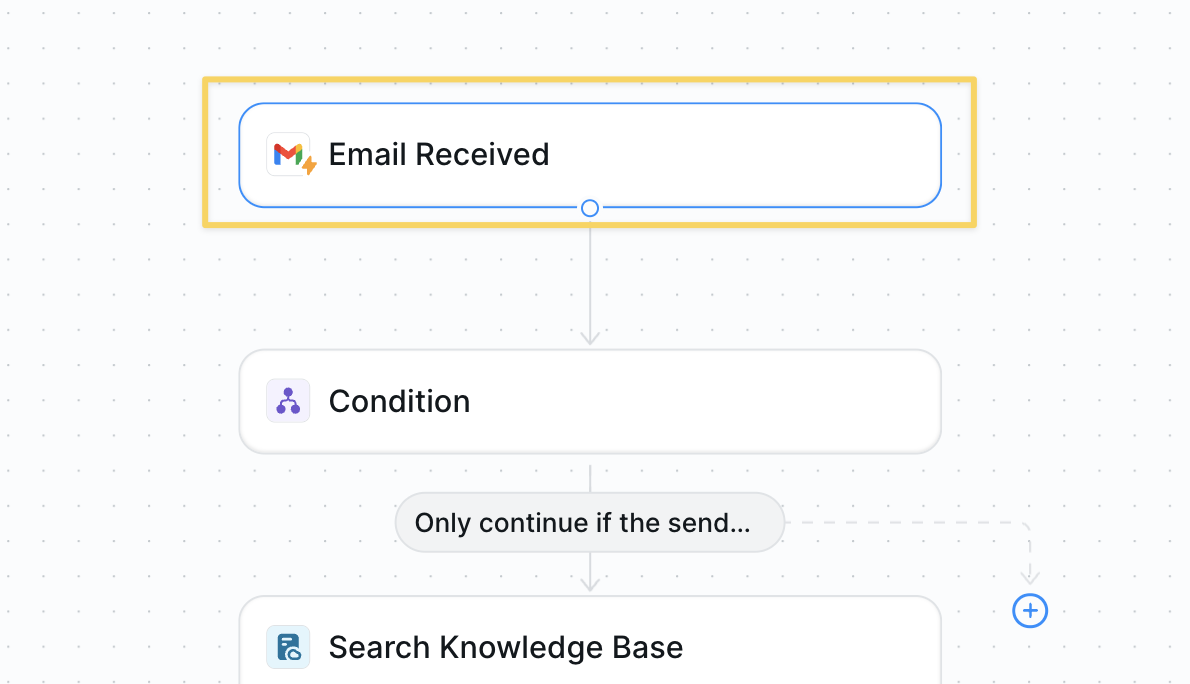
Gmail – Email Received (could swap for other systems like Zendesk – New Ticket).
Step 2: Determine If a Reply Is Needed
Filter out non-support emails early to avoid responding to newsletters, confirmations, or internal messages.Condition prompt:
Step 3: Search the Knowledge Base
Query your documentation to find relevant answers before crafting a response.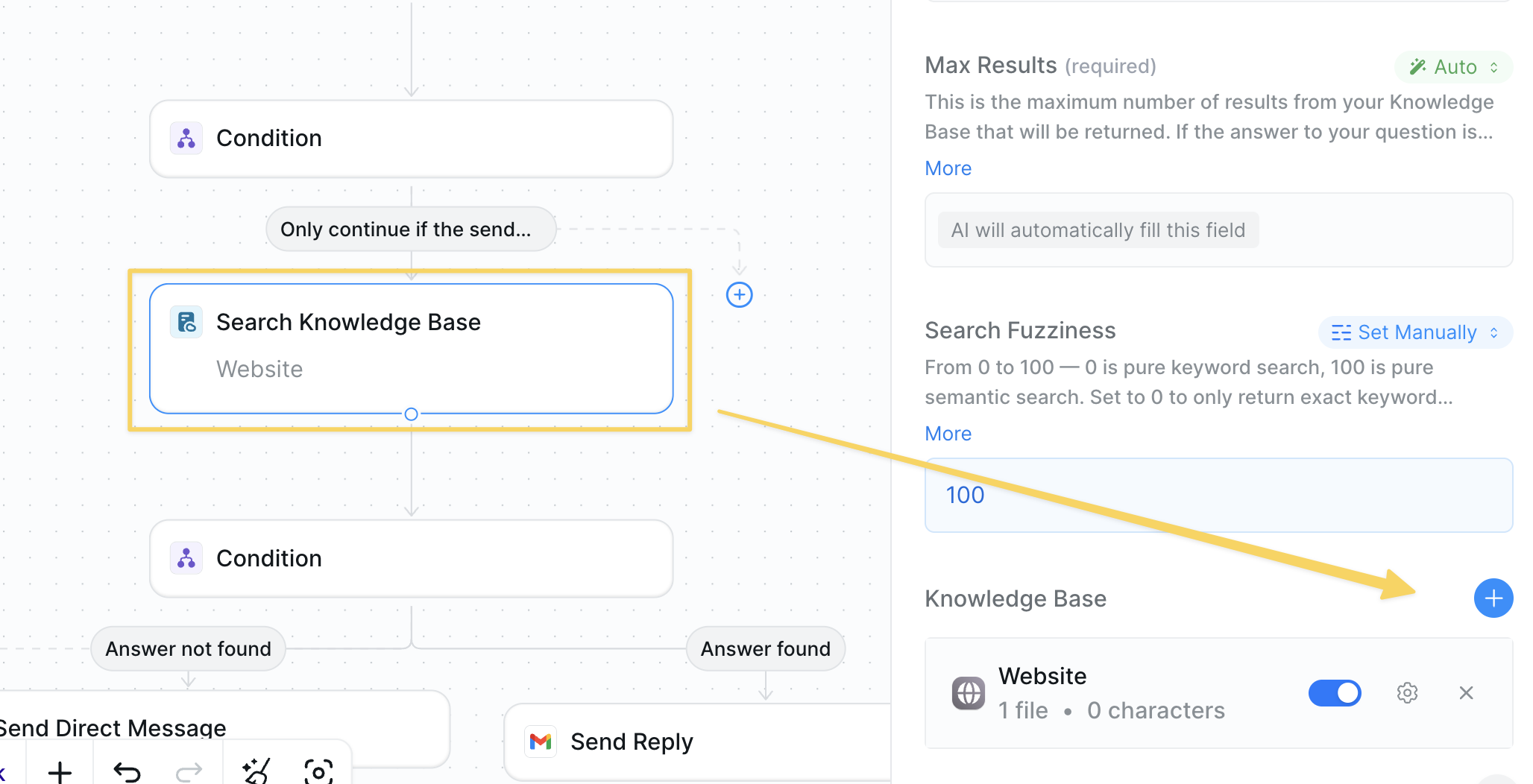
- Action:
Search Knowledge Base - Attach FAQs, policies, refund rules, troubleshooting docs, and more
Step 4: Verify an Answer Exists
Check if we have sufficient information to provide a helpful response, escalating complex issues to humans.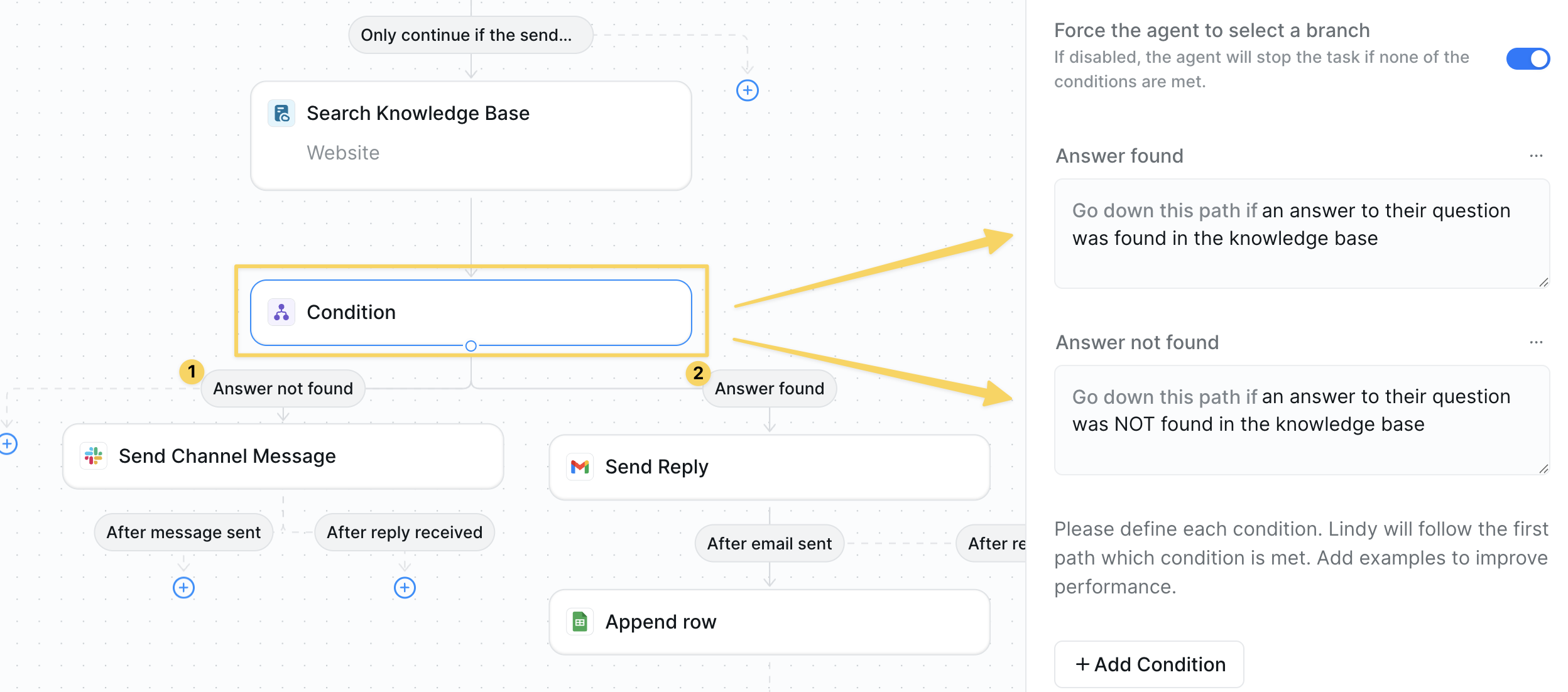
- If answer found → continue.
- If not found →
Slack – Send Channel Messagethe thread for human intervention- For
Send Channel Messageto work correctly, remember to add the Lindy app to your channel
- For
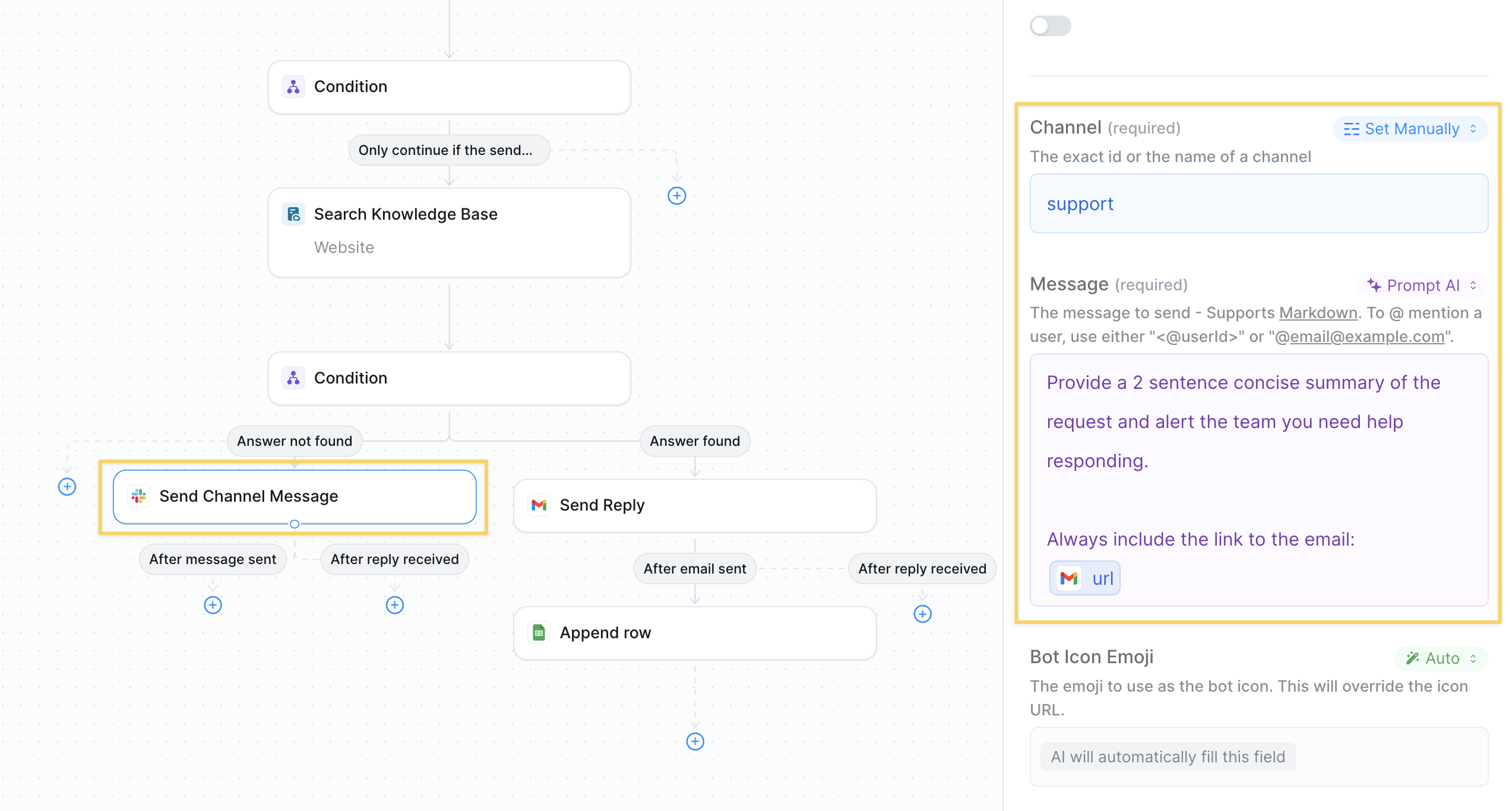
Step 5: Draft or Send the Reply
Provide a helpful response using knowledge base information in your brand voice.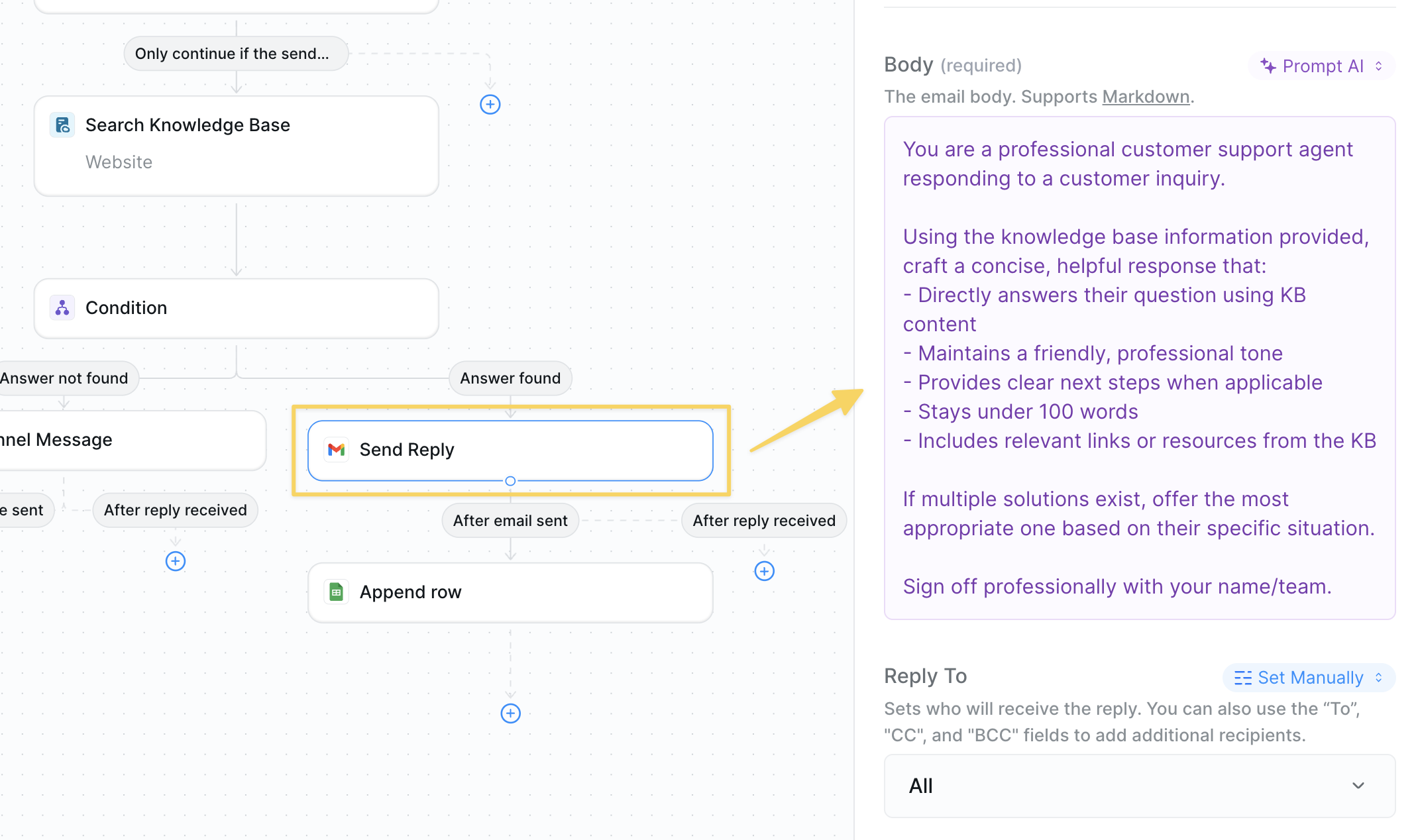
Step 6: Log Support Interactions
Track all support interactions in a Google Sheet for reporting and analysis, with optional integration to your existing ticketing system instead.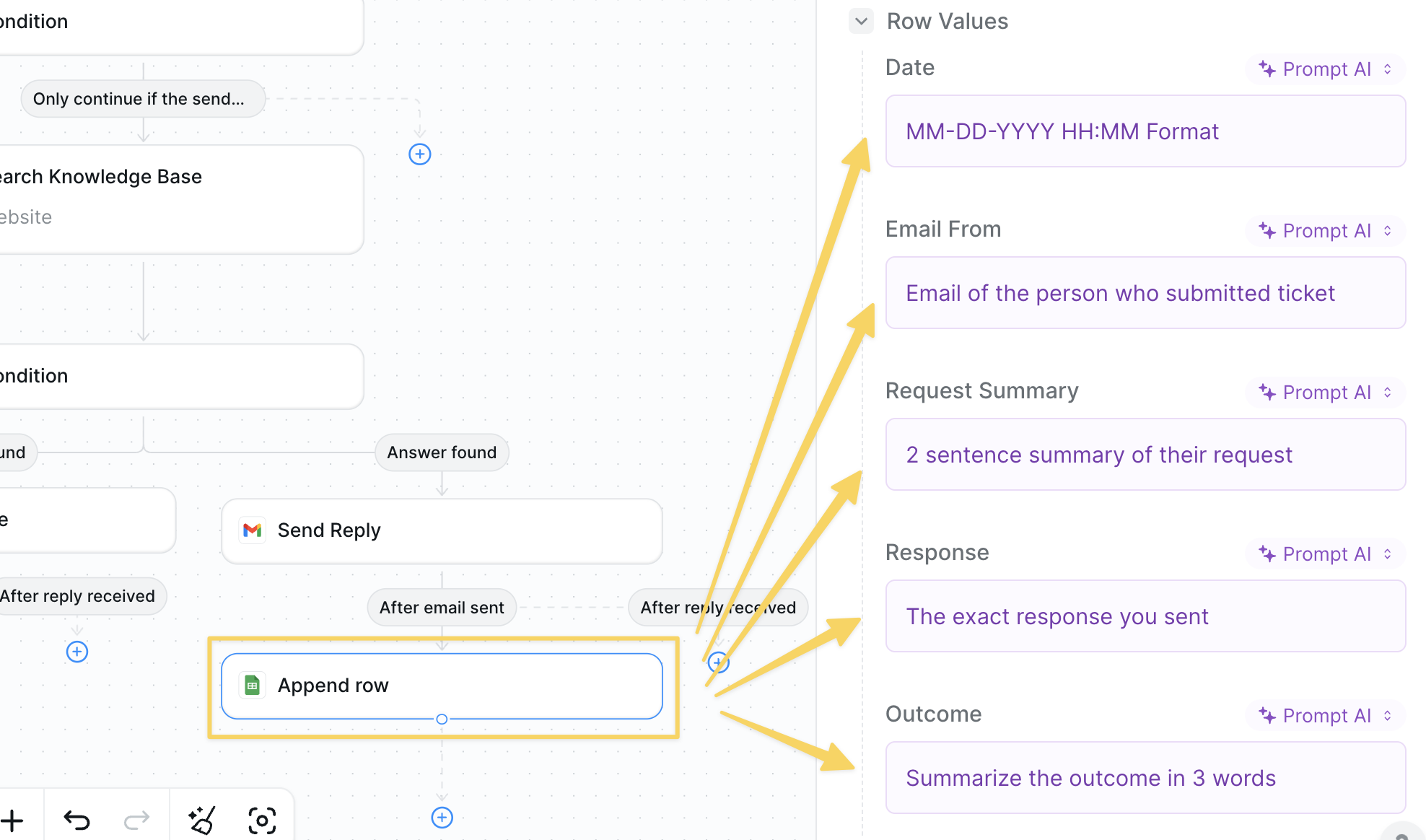
- Action:
Google Sheets – Append Rowto log ticket details, response time, and resolution - Update your support management system if applicable
Advanced Customizations
Best Practices
Keep KB Fresh
Keep KB Fresh
Review policy and product docs weekly; outdated articles create wrong answers.
Short & Clear
Short & Clear
Aim for one-screen replies; link out for deeper resources.
Human First
Human First
Escalate order issues or refund disputes early to avoid churn.
Channel Flexibility
Channel Flexibility
The same flow works for chat or SMS—just swap the trigger/action pair.
Next Steps
Voice Support
Handle support calls 24/7
Report Generator
Generate customer success reports
Slack Integration
Resolve questions in Slack channels
Human in the Loop
Add oversight for complex support issues